



How to Build a Customer Email List for Your Local Business
The best way to build a customer email list for a small business isn't a website popup. Turn every loyalty-card signup into an owned, opt-in contact.
Key Takeaway:
For a local business, your customer list is one of the only marketing assets you truly own, and the easiest way to build it is to let your loyalty card capture the contact every time a customer joins for rewards.
Last updated: July 2026
A customer email list for a small business is a collection of contact details from people who have bought from you and agreed to hear from you again. The best way to build one is not a website popup or a lead magnet. It’s your loyalty card: every customer who joins to collect rewards leaves you their name, their email, and permission to get in touch.
Key Takeaway: The money is in getting customers back, and it doesn’t take much. Increasing retention by just 5% can raise profits by 25% to 95% (Harvard Business Review). An owned email list is how a small business captures that, and your loyalty card can build it for you automatically.
Your email list is the only audience you actually own
Think about where your customers “live” right now. Some follow you on Instagram. A few liked your Facebook page. Others found you on Google Maps. All of that feels like an audience, but you don’t own any of it. You rent it.
The platform decides who sees your posts. An algorithm change can quietly cut your reach in half, a suspended account can wipe it out overnight, and you can’t export your followers and take them anywhere. You are a tenant on someone else’s land.
An email list is different. It’s a list of people who chose you, stored somewhere you control, that you can move to any tool you like. The same goes for a channel that reaches their phone directly. Nobody can switch it off or charge you for access to your own customers.
And it pays. Repeat customers are where a small business makes its margin:
- Acquiring a new customer costs 5 to 25 times more than keeping an existing one (Harvard Business Review).
- Email is still the highest-return channel for reaching them, driving an average ROI of $36 for every $1 spent (Litmus).
For a corner cafe or a two-chair barbershop, this isn’t abstract. It’s the difference between a first-time visitor who never comes back and a regular who’s in every Tuesday. Building a list is how you tilt the odds toward the regular.
Why the usual “build an email list” advice doesn’t fit a local business
Search “how to build an email list” and every guide says the same thing: add a popup to your website, offer a discount for signing up, write a lead magnet PDF, embed a form on your homepage. All of it assumes one thing, that you have website traffic.
Most local businesses don’t, and don’t need to. Your customers find you on Google Maps, walk past your window, or get recommended by a friend. They arrive with a coffee in one hand and a phone in the other. They will almost never visit your website, so a popup sitting there collects almost nothing.
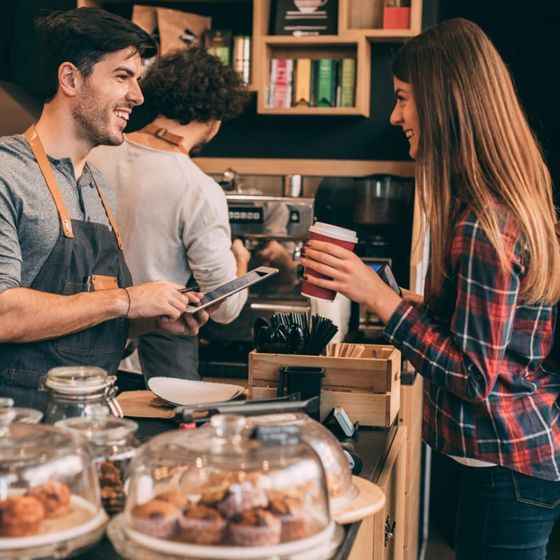
The real question for a local business is different: how do I capture the contact of the person standing in front of me, right now, without becoming the pushy shop that begs for an email at the till?
6 ways local businesses collect customer emails (and where each falls short)
Here are the common methods and the trade-off that comes with each.
| Method | How it works | The catch |
|---|---|---|
| Paper sign-up sheet or a bowl of business cards | Customers scribble their details | Illegible handwriting, no consent record, someone has to type it all in |
| ”Email for the receipt?” at the till | Your POS captures the address | People give it for the receipt, not for marketing, so engagement is low, and it ties you to one POS |
| Website popup or lead magnet | A discount in exchange for a signup on your site | Assumes website traffic a local shop rarely has |
| Wi-Fi login (captive portal) | Email in exchange for free Wi-Fi | Throwaway addresses, extra hardware, feels like a toll gate |
| Social media followers | Build an audience on Instagram or TikTok | You don’t own it and can’t export it; reach is rented from the algorithm |
| Digital loyalty card | Contact captured when a customer joins for rewards | The one that actually works (more below) |
The first five all share one of two problems. Either the data is low quality and painful to gather (paper, Wi-Fi, the till), or you never really own it (social media). A loyalty card is the only method where the customer is genuinely glad to hand over their details, because they’re getting something they want in return.
The byproduct method: let your loyalty card build the list
The trick is to stop asking for emails as a separate favour. Attach the ask to something the customer already wants: their rewards.
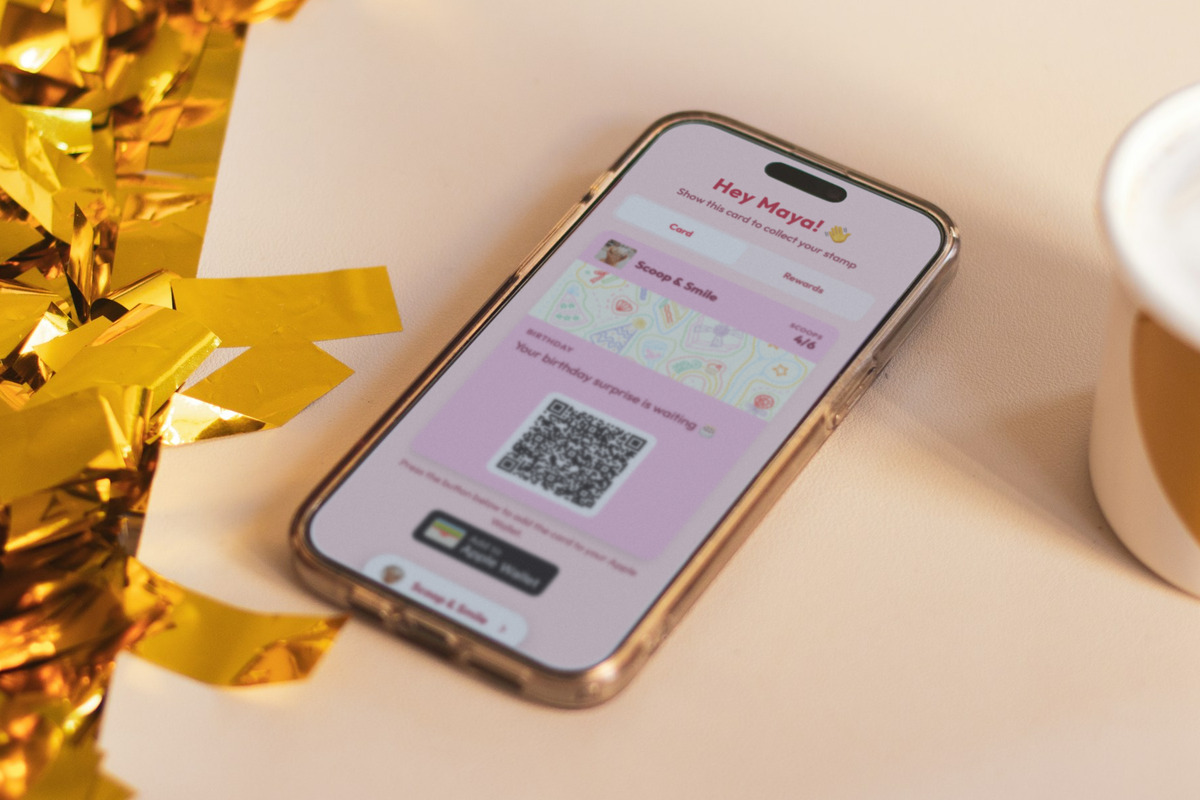
With a digital loyalty card, joining is the sign-up. To claim their card, each customer enters their name and email on their phone and ticks a box if they’re happy to hear from you. That’s it. No clipboard, no separate newsletter form, no awkward pitch at checkout. The list builds itself, one stamp at a time.
Because the email is needed to create the card and the marketing consent is a separate, opt-in tick, the people on your list actively chose to be there. That gives you a clean, permission-based list rather than a bought or scraped one, which matters for both your deliverability and the law.
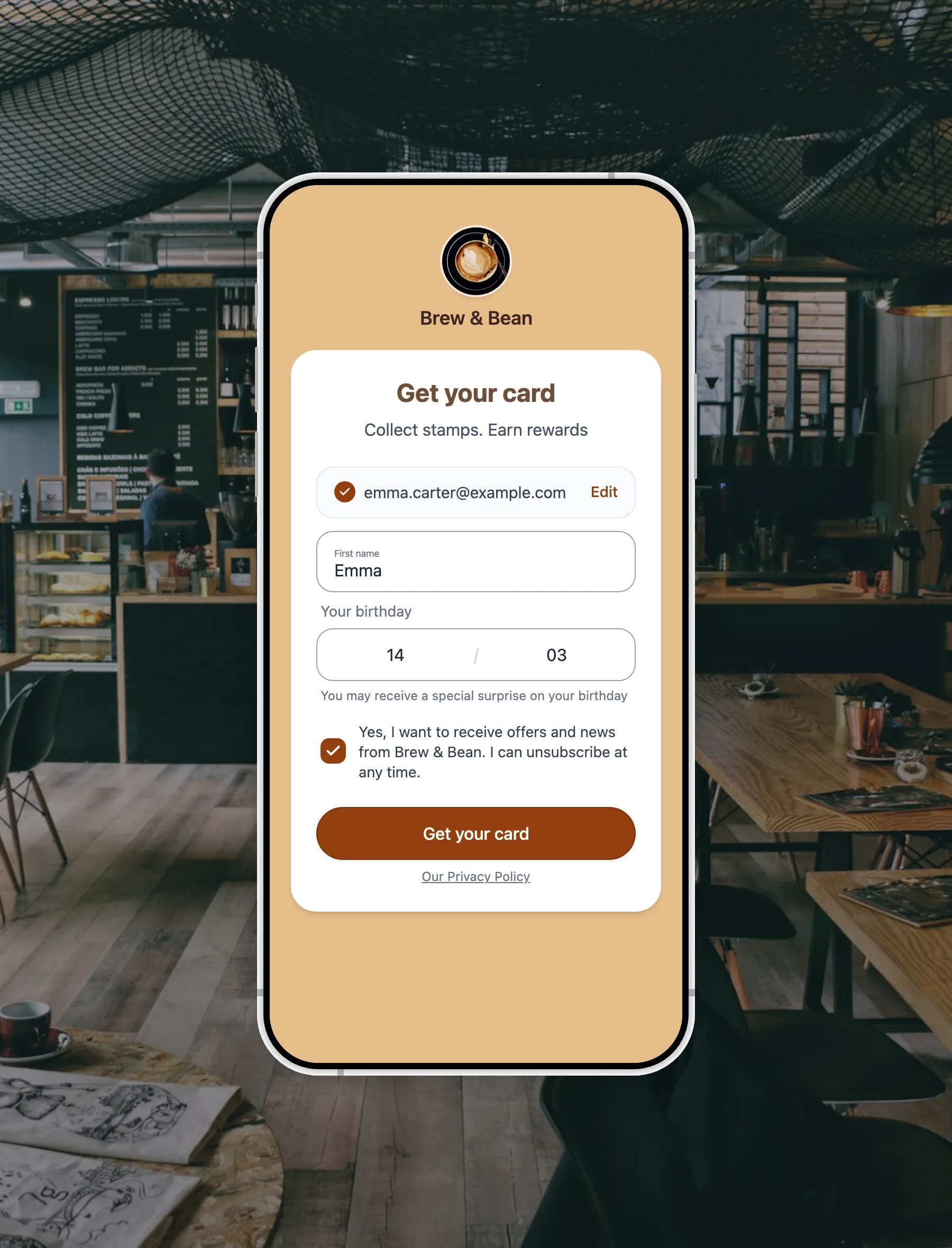
Here’s the whole flow:
- Set up a free digital loyalty card. Pick your reward (“buy 9 coffees, get the 10th free”), add your logo and colours. It takes about five minutes and no design skills. See our guide to loyalty programs for small business for the details.
- Put the QR code where customers already are: on the counter, on receipts, in the window, and on your free link-in-bio page.
- The customer joins in seconds by opening the card on their phone. There’s no app to download.
- Their name, email, and consent are captured automatically the moment they join. Nothing to type up later.
- Use the list. Export it, or reach customers on their phone between visits.
Does the mechanic actually hold customers’ attention? Our own study of 1,013 businesses found that simpler cards keep people engaged far better: a 5-stamp card is completed 27.9% of the time, versus just 5.6% for a 10-stamp card (FaveCard loyalty card completion study). Keep the reward easy and more customers join, stick with the card, and stay on your list.
A small, local list beats a big, cold one
Don’t get hung up on the number. A national brand needs tens of thousands of subscribers. You don’t. A cafe with 300 regulars who opted in and visit every week has a more valuable list than a business with 10,000 strangers who once grabbed a coupon and forgot about it.
- Opt-in beats bought. People who chose to join open your messages and act on them. A purchased list gets ignored, wrecks your sender reputation, and can breach data rules.
- Local beats broad. Your list is made of people who can actually walk through your door this week.
- Active beats large. A loyalty card keeps the list alive, because customers keep coming back to collect stamps, so your contacts stay current instead of going stale.
This is exactly why the loyalty-card method suits a small business. It builds the kind of list that’s actually worth having (small, local, engaged, and opt-in) and it keeps that list fresh automatically.
Owning the list is only half the win
Building the list is step one. The reason you want it is to bring people back, and here a loyalty card gives you two owned channels instead of one.
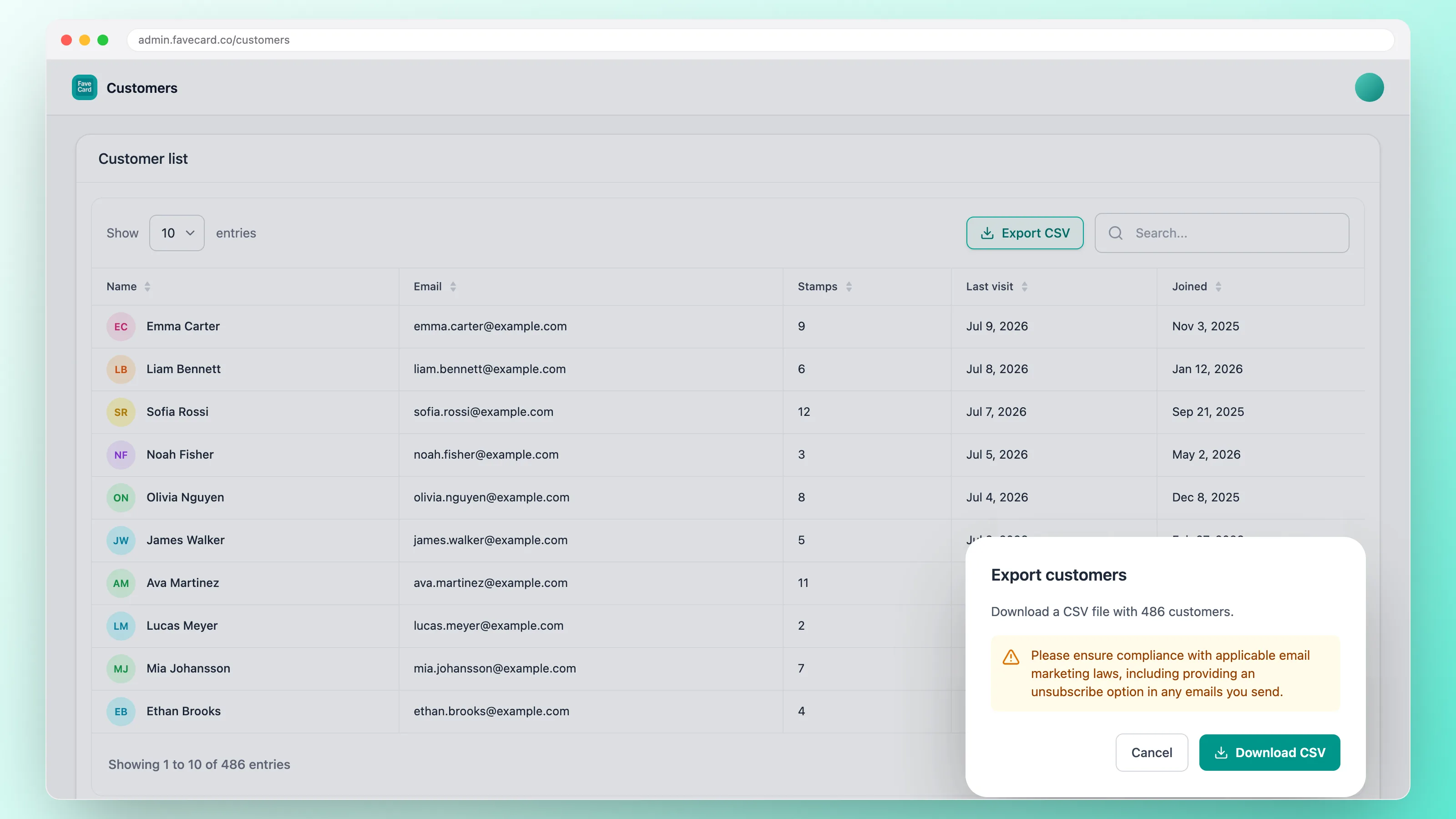
An email list you can export. On the Business plan, you can download your full customer list as a CSV and load it into whatever email tool you already use. The export even records each customer’s marketing-consent status, so you know exactly who has opted in. FaveCard collects and owns the list for you; you send the emails wherever you like. Nothing locks you in, and you can walk out the door with your list any time.
A direct line to their phone. Email is powerful, but it still has to survive a crowded inbox. A loyalty card also lets you send a message that appears right on the customer’s phone, so a quiet Tuesday can become a gentle “your next stamp is on us” nudge that actually gets seen. That’s the fastest way to reach customers between visits without paying for ads.
To be clear about what FaveCard is and isn’t: it’s not an email newsletter tool. It’s the layer that captures and owns your audience, plus a way to nudge them between visits. You keep full control of the list, and you decide how and where to email them.
Put your list to work
A list sitting in a spreadsheet doesn’t bring anyone back. Here’s what to actually do with it once it starts filling up. None of this needs a big budget or a degree in marketing.
- Welcome new members. The moment someone joins, send a short, warm hello and remind them of the reward they’re working towards. It’s the cheapest way to turn a first visit into a second.
- Win back the quiet ones. Every list has customers who drifted away. A gentle “we’ve saved your stamps, here’s one on us” is often all it takes. See how to bring back inactive customers for the wording.
- Fill your slow days. A quiet Tuesday is one message away from busy. Because a loyalty card can reach the phone directly, a same-day “free pastry with your coffee until 4pm” actually lands.
- Celebrate birthdays. A small birthday treat is one of the most-loved messages a local business can send, and it reliably turns a nice gesture into a visit. More on the trade-offs in birthday emails vs loyalty cards.
- Ask your regulars for a review. The customers on your list already like you, which makes them the right people to ask for a Google review at the right moment. Here’s how to ask for Google reviews without it feeling awkward.
The common thread: you own the relationship, so you can reach these customers whenever it helps your business, for free, without bidding against other advertisers to get in front of people who already chose you. Want more ideas for the regulars themselves? See how to get repeat customers.
Own your audience, starting today
You can’t control the Instagram algorithm or where you land in Google’s results. What you can own is a list of the customers who already love your business. The easiest way to build it isn’t a popup nobody sees. It’s a loyalty card your customers are happy to join, on the phone that’s already in their hand.
Start free, put a QR code on your counter, and let the list grow itself, one stamp at a time. Not sure which tool to pick? Compare the options in our roundup of the best free digital loyalty card apps.
Frequently Asked Questions
How do small businesses collect customer emails?
The simplest way is to attach the ask to something customers already want: rewards. A digital loyalty card captures a customer's name and email when they join, so your list grows automatically without a separate sign-up form or a paper sheet at the till. It's far less awkward than asking for an email at checkout.
What is the best way to build an email list for a brick-and-mortar business?
Use your one reliable point of contact: the counter. A loyalty card with a QR code lets walk-in customers join your list in seconds on their phone. This works far better than a website popup, because most local customers find you on Google Maps or on foot and never visit your website.
Do I need a website to build an email list?
No. You can collect emails entirely from your physical location using a loyalty-card QR code on the counter, on receipts, and on a free link-in-bio page. A website helps, but a local business can build a healthy email list without one.
Is a loyalty-card email list GDPR compliant?
It can be, as long as customers give clear consent. FaveCard asks each customer to tick an opt-in marketing box when they join, separate from the email needed to create the card, so everyone on your marketing list has actively agreed to hear from you. Always follow your local rules on data and consent.
Can I export my customer email list?
Yes. On the Business plan, FaveCard lets you download your full customer list as a CSV file and use it in any email tool you already have. The list is yours, and you can take it with you at any time.