



BUSINESS FEATURE
Turn birthdays into visits, automatically
FaveCard remembers your customers' birthdays and puts your birthday offer on the loyalty card they already keep on their phone. A personal reason to come back, without another job on your list.
In short
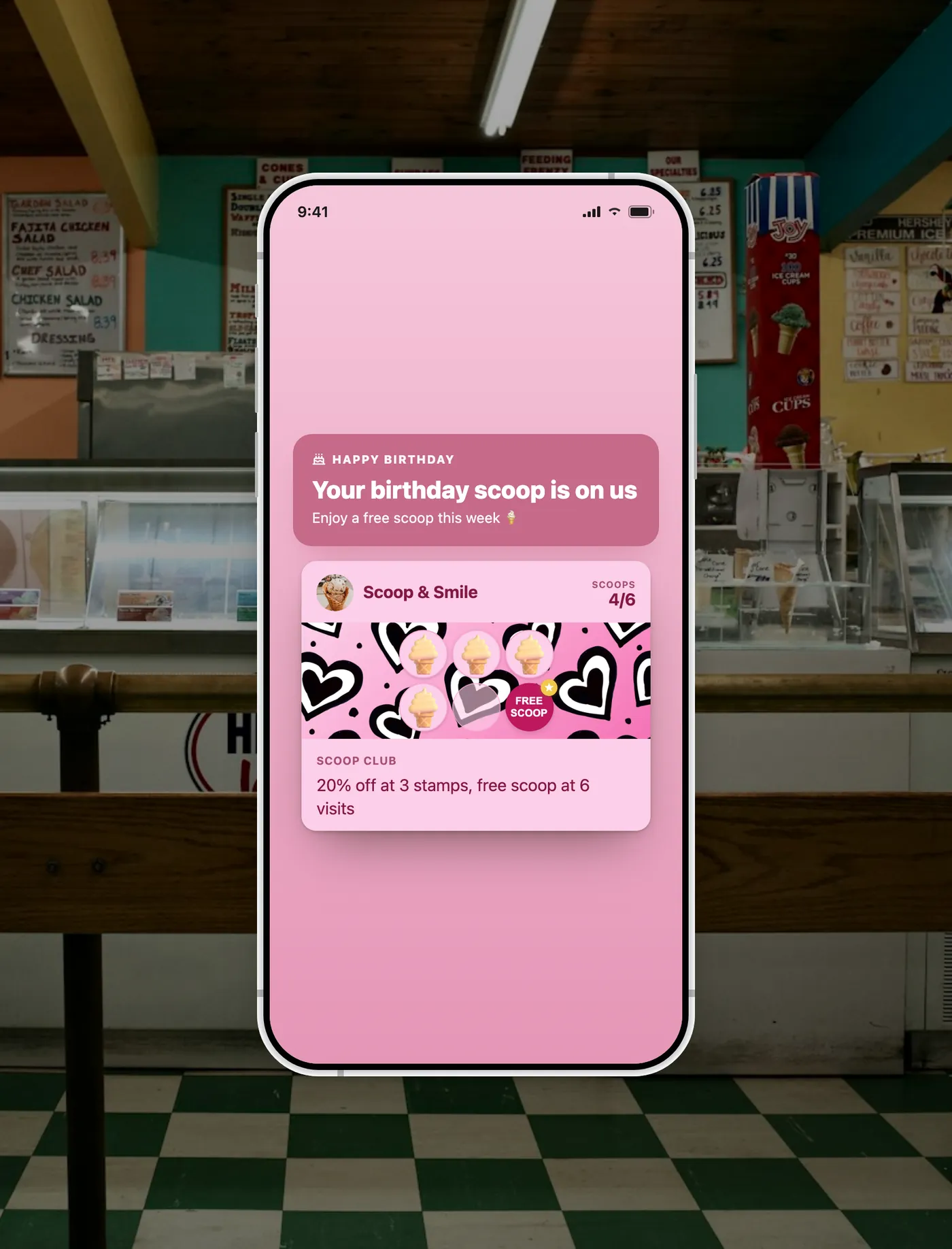
FaveCard Birthday Automation is a retention feature for local businesses such as cafes, restaurants, salons and barbers. Once you set it up, FaveCard checks your customers' birthdays automatically and, on the day, adds your birthday offer to the digital loyalty card they already carry. It can also send an optional birthday email. You choose the message, the offer and how long it stays active, then it runs on its own in your business time zone, once per customer each year. It is a paid feature, with a free plan, and every new account gets premium tools free for the first 30 days. In short, your loyalty card becomes the birthday card your customer already carries.
The problem
Most owners mean to remember their regulars, but the day-to-day always wins. Birthdays slip past unnoticed, and one of the few genuinely personal marketing moments goes to waste. Checking a list by hand never quite happens, and a generic 'we miss you' message reads like every other promotion in the inbox.
New to this? See our 21 birthday marketing ideas for local businesses.
A better way
FaveCard does the remembering for you. Set your birthday message and offer once, and on each customer's birthday the offer appears on the loyalty card they already use, with an optional email as a reminder. It feels less like a promotion and more like being remembered by a favourite local spot.
How it works
Set it up once, then it runs on its own
-
Add customer birthdays
Collect the month and day when customers join your loyalty card, or import the ones you already have. No full date needed, just enough to celebrate the right day.
-
Design the birthday offer once
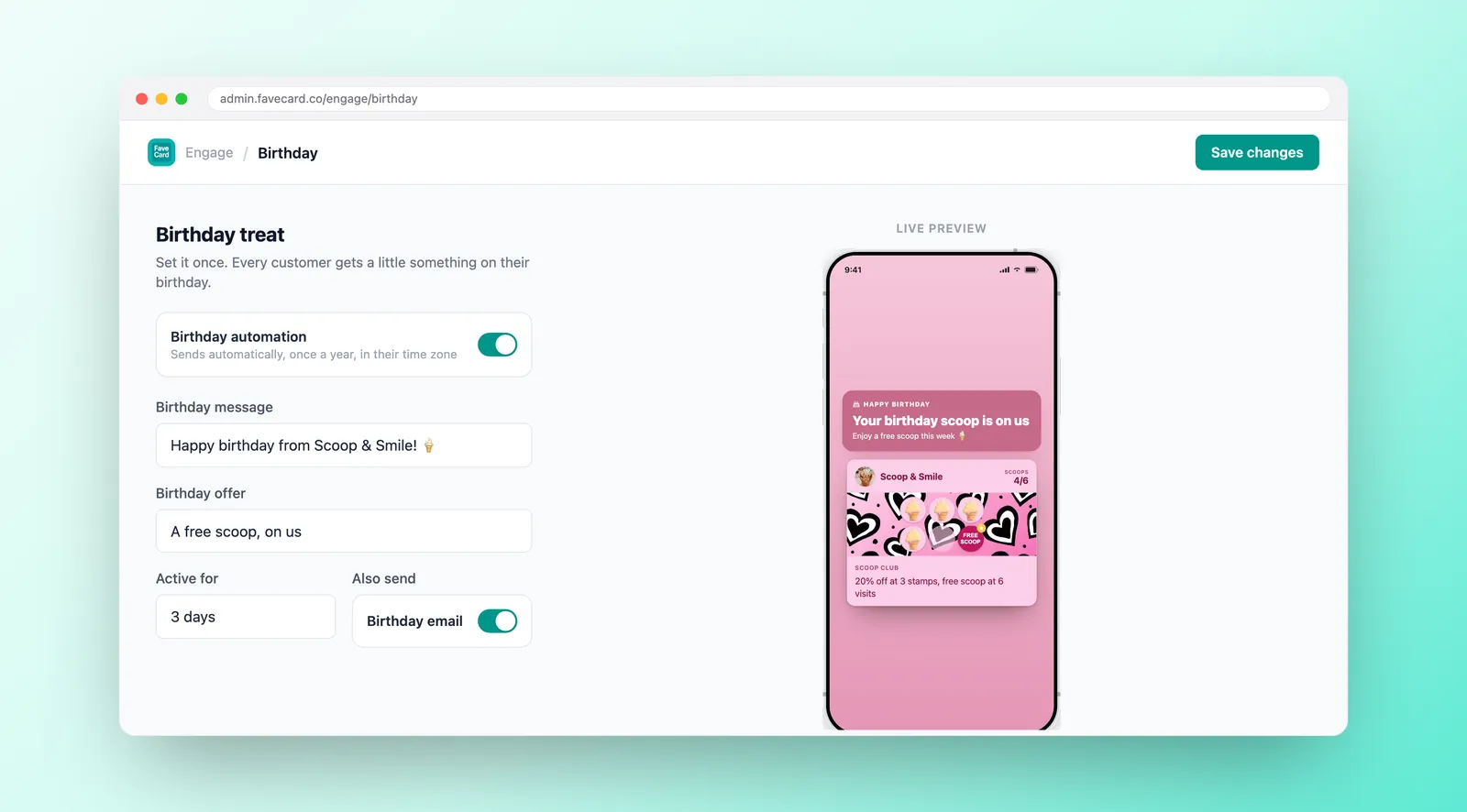
Choose the card message, header, banner and offer, then pick how long it stays active. Preview the whole experience on the card before you turn it on.
-
FaveCard celebrates them automatically
On each customer's birthday, in your business time zone, FaveCard updates their loyalty card with the offer and can send the email. Once per customer, every year.
Good to know: even 29 February birthdays are handled, celebrated on 28 February in non-leap years.
What your customers see
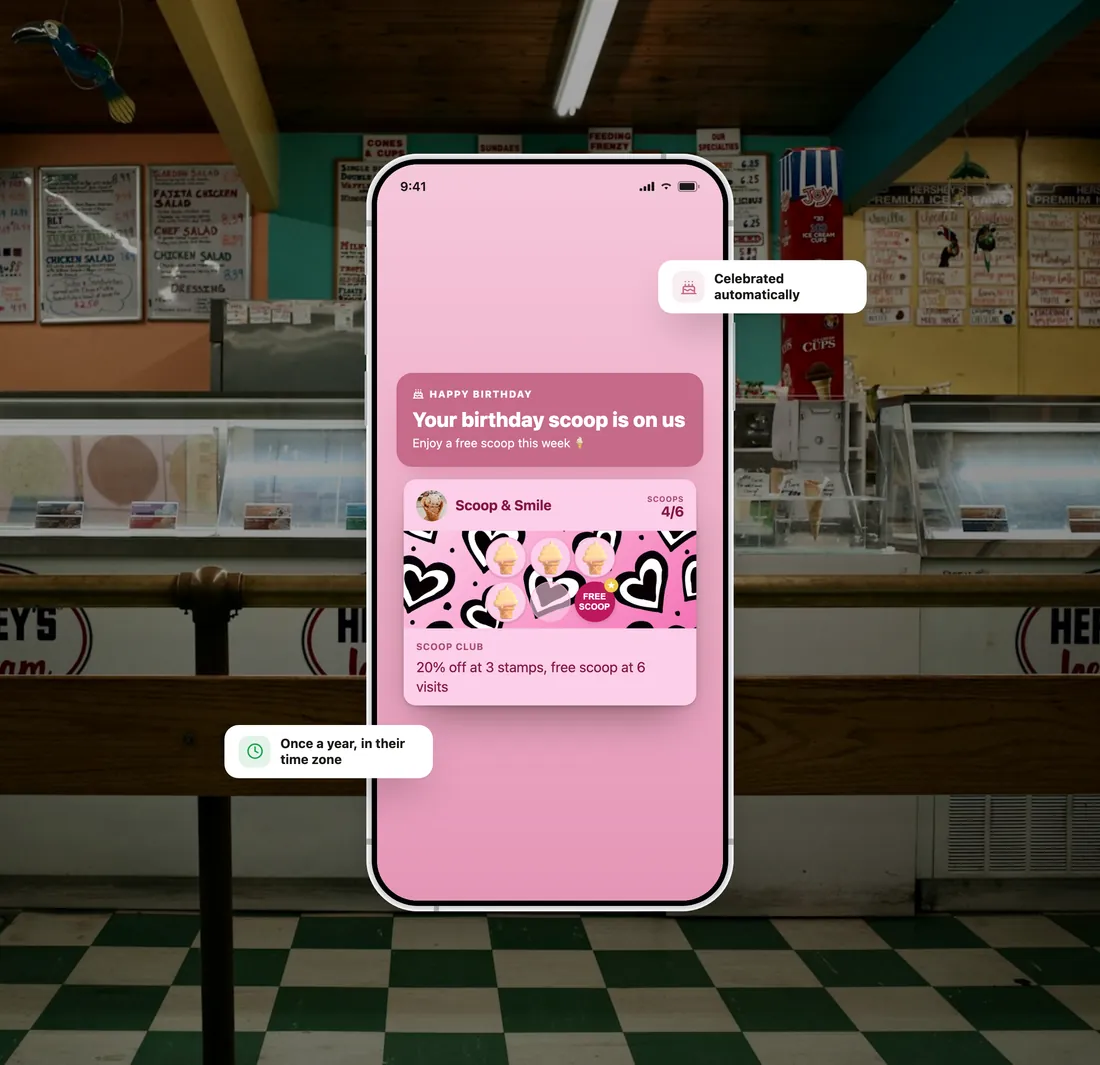
A birthday moment on the card they already carry
-
On their loyalty card
The card they open to check stamps and rewards turns into a birthday card: a birthday header, a banner and your offer. No new app, no login, nothing to download.
-
An optional birthday email
If you switch it on, FaveCard can also send a birthday email with a link back to their card, so the moment reaches them even if their phone is in their pocket.
-
An offer with a clear window
The offer stays active for the time you choose, then the card returns to normal once they visit, redeem it, or it expires. A gentle nudge, not a permanent discount.
How does it compare?
FaveCard vs the usual ways of running birthday offers
| A spreadsheet | A birthday email tool | FaveCard | |
|---|---|---|---|
| Remembers the date | Only if you check it yourself | Yes, from a date field | Yes, automatically |
| Where the offer lives | Nowhere. You have to tell them | In the inbox, easy to miss | On the card they use to come back |
| Effort each birthday | You check the list and message by hand | Mostly automatic | Fully automatic once it's set up |
| Optional email too | You write and send it yourself | Yes | Yes, as a reminder back to the card |
| See who was celebrated | No record | Email opens only | A recipient list in your dashboard |
Unlike a spreadsheet (manual) or an email tool (the offer lives in the inbox), FaveCard puts the birthday offer on the loyalty card the customer actually uses to come back, fully automatically.
Birthday offer ideas, by trade
A small, personal gift almost always beats a big discount
-
Café
- “A free birthday coffee, or a slice on the house.”
- “They often come in with a friend who pays full price.”
- “The offer waits on their card, ready for the day.”
-
Restaurant
- “A free dessert, or a birthday add-on with the meal.”
- “Birthdays are social, so one offer can fill a table.”
- “Give a week or two so they can plan a visit.”
-
Hair salon
- “A birthday upgrade, or a treatment on their next visit.”
- “A warm, natural reason to rebook without a hard sell.”
- “The offer sits on the card until they book.”
-
Barber
- “A birthday tidy-up, or a product on the house.”
- “A personal nudge that brings loyal clients back in.”
- “One tap from the card, no awkward ask in the chair.”
-
Nail & beauty
- “A complimentary add-on during their birthday week.”
- “A free treat makes the birthday visit feel special.”
- “Fresh from a treatment is the kindest time to be remembered.”
Simple pricing
See full pricing details and compare Free, Pro, Business and Multi side by side.
BUSINESS FEATURE
Available on the Business plan
Business
- Birthday offers added to the customer's loyalty card, automatically
- Optional birthday email with a link back to their card
- Choose the offer, the design and how long it stays active
- See who was celebrated, by card and email, in your dashboard
Your new account: 30 days free with your card in Wallet, your logo and campaigns. No card needed.
Frequently Asked Questions
Everything you need to know about FaveCard Birthday Automation
Does the customer need an app?
No. The birthday offer appears on the loyalty card your customer already has on their phone, the same card they open to check stamps and rewards. There's no app to download and no account to create. If you switch on the optional birthday email, that arrives too, with a link straight back to their card.
Who gets a birthday offer?
Every eligible cardholder. A customer is celebrated when your Birthday Automation is switched on, they have a birthday saved (month and day), and they have an active loyalty card. The optional email also depends on having their email address on file. So it isn't literally every customer, it's everyone whose birthday FaveCard knows.
How do I collect customer birthdays?
Add an optional birthday field when customers join your loyalty card, and frame it as a benefit, for example 'add your birthday for a little surprise'. You only need the month and day, not the year. Our birthday marketing guide has more ideas for collecting dates without it feeling awkward.
When does it send, and how often?
FaveCard checks birthdays every morning and sends in a morning window, in your business time zone, so the moment lands at a natural time. Each customer is celebrated once per year, with no duplicates, and even leap-day birthdays are handled (they're celebrated on 28 February in non-leap years).
What happens if my paid plan lapses?
Your setup is saved. If premium access ends or you move to the free plan, Birthday Automation simply pauses, it doesn't disappear. Come back to Business and you can switch it straight back on with the message and offer you already designed.
Do birthday offers actually bring customers back?
They tend to work better than ordinary promotions because the reason is genuinely personal and time-bound: it's the customer's day, and the offer only lasts a short window. Birthday campaigns are a long-established retention tactic precisely because they feel less like marketing and more like being remembered. FaveCard makes them effortless by handling the dates for you and placing the offer on the card the customer already uses to come back, so there's nothing to chase and nothing to send by hand.
Is it included in the Free plan?
Birthday Automation is a Business feature. The Free plan (no time limit) still gives you a working digital loyalty card, and every new account gets premium tools free for the first 30 days, so you can set up the birthday experience and see exactly how it looks before deciding.
Never miss a customer's birthday again
Set your birthday offer once and let FaveCard celebrate every eligible customer, right on the card they already carry.