




Loyalty cards
One card. As many rewards as you like.
Most stamp cards hide a single prize behind ten stamps, so most customers never get there. FaveCard lets you reward customers along the way, design the card to match your brand, and give new customers a head start.
In short
A FaveCard loyalty card can carry more than one reward, placed at any stamp you choose, with your own stamp icons, colours and wording. You can even start new customers with a stamp or two already filled in, so they begin with a head start. Multiple rewards and card colours are included free; your logo, banner and custom stamp icons come with a paid plan.
The trouble with basic stamp cards
Most loyalty cards, paper or digital, put a single reward behind the very last stamp. Customers who don't see a quick win lose interest, and the card is forgotten long before it is finished.
What FaveCard does differently
Place rewards wherever you like, reward customers early to build the habit, and make the card unmistakably yours. It is the flexibility our own data shows most improves completion.
See the numbers in our loyalty card completion rate study.
Three ways to design a card people finish
The card is software, not cardboard, so you control the parts that decide whether customers come back.
-
Reward along the way
Put a small perk at stamp 3 and the big reward at stamp 8, or five rewards across one card. There is no limit on how many rewards a card can hold, and you choose the stamp for each.
-
Make it unmistakably yours
Choose the number of stamps, the stamp icon, the colours, the banner image and the reward text. The card looks like your business, not a template.
-
Give a head start
Start every new customer with a stamp or two already on their card. In a well-known field study, cards that began with two stamps pre-filled were completed nearly twice as often as identical cards starting from zero.
Your customers, your list
Every signup builds a customer list you own, not a following you rent from an algorithm.
-
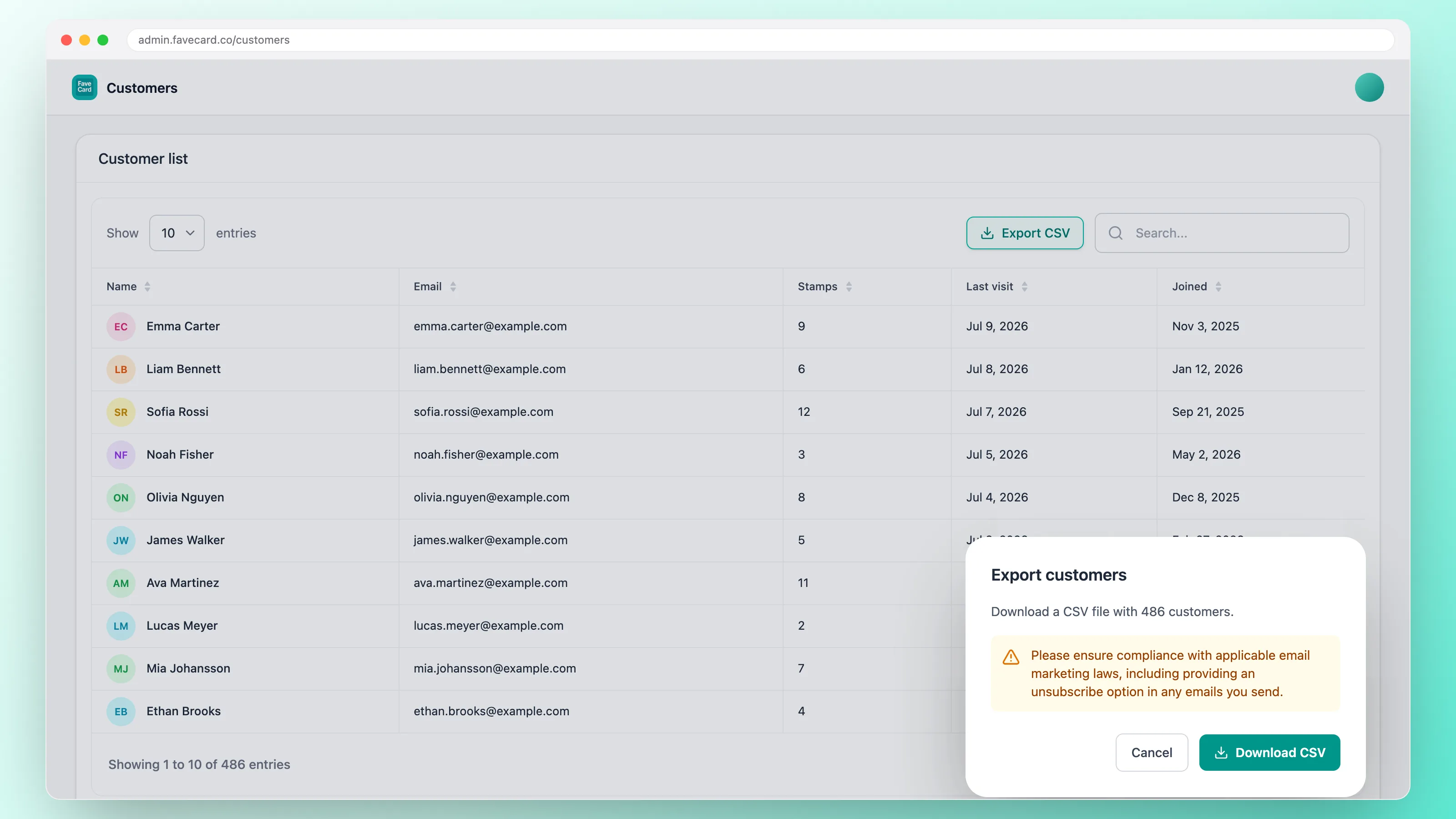
See who's coming back: names, emails, stamps and last visit, all in one place.
-
On the Business plan, export the whole list as a CSV whenever you want. It's your data, and it goes wherever you do.
-
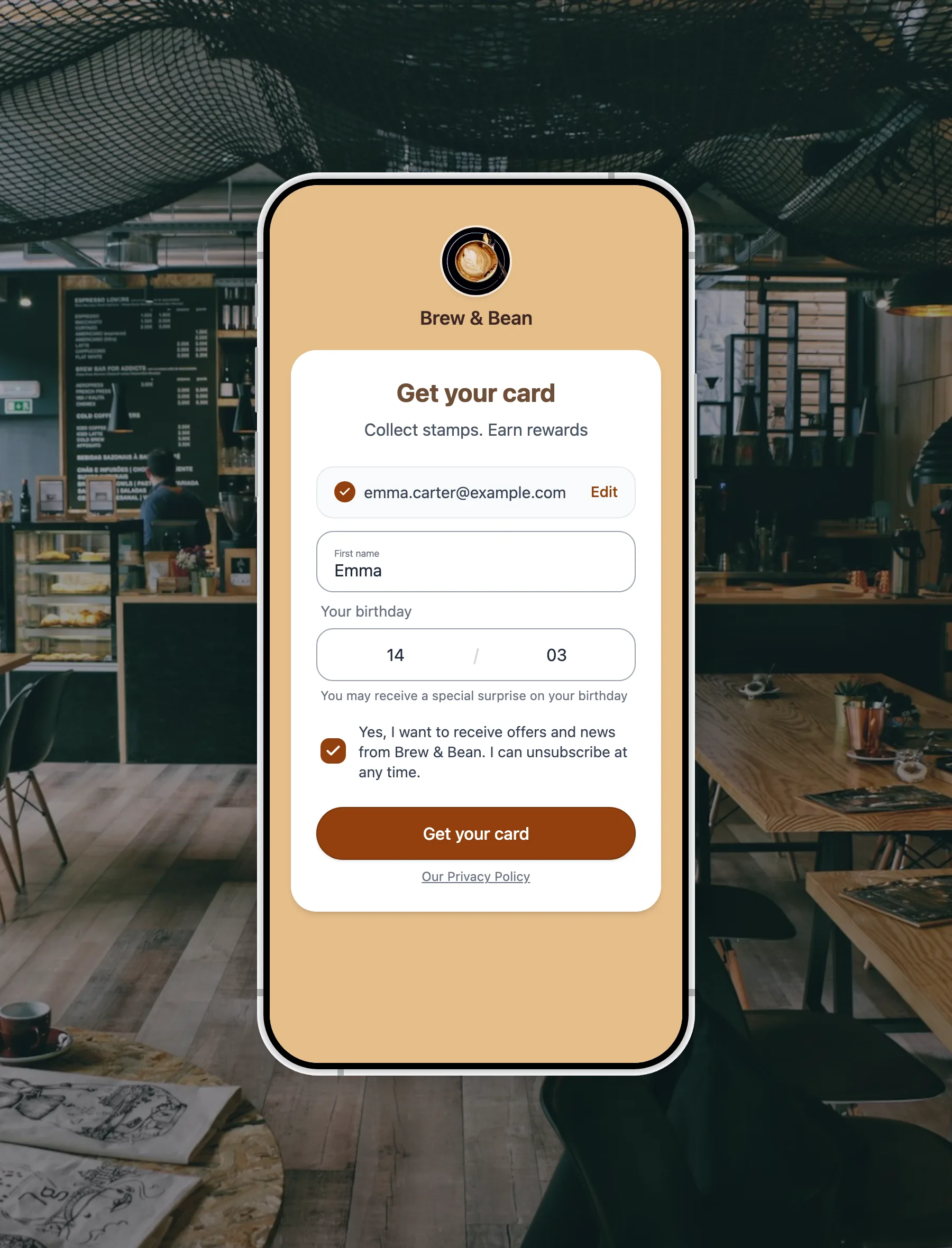
Customers opt in with a tick when they join, so your list is permission-based from day one.
See it on a real card
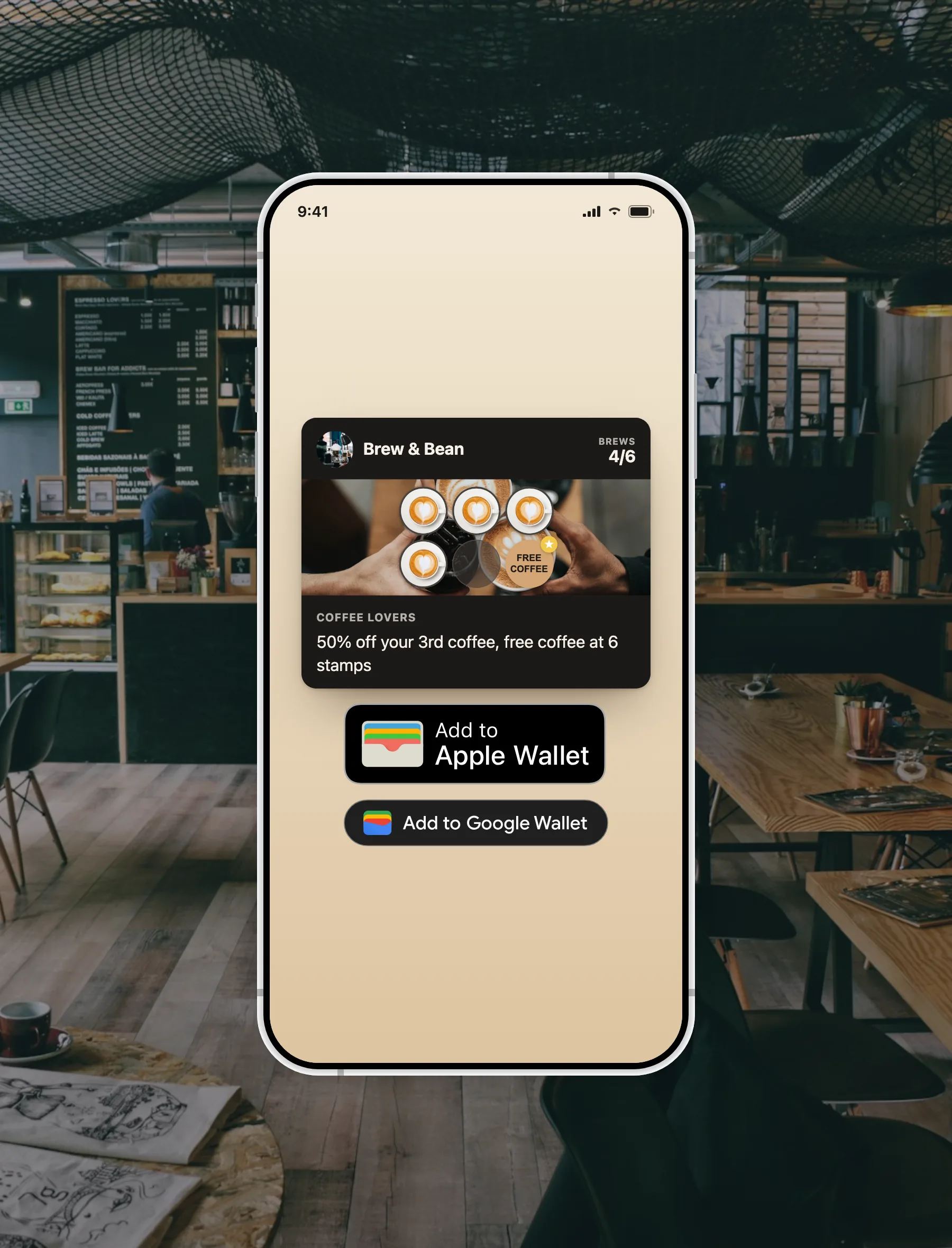
Two rewards on one card, set up in a couple of taps.
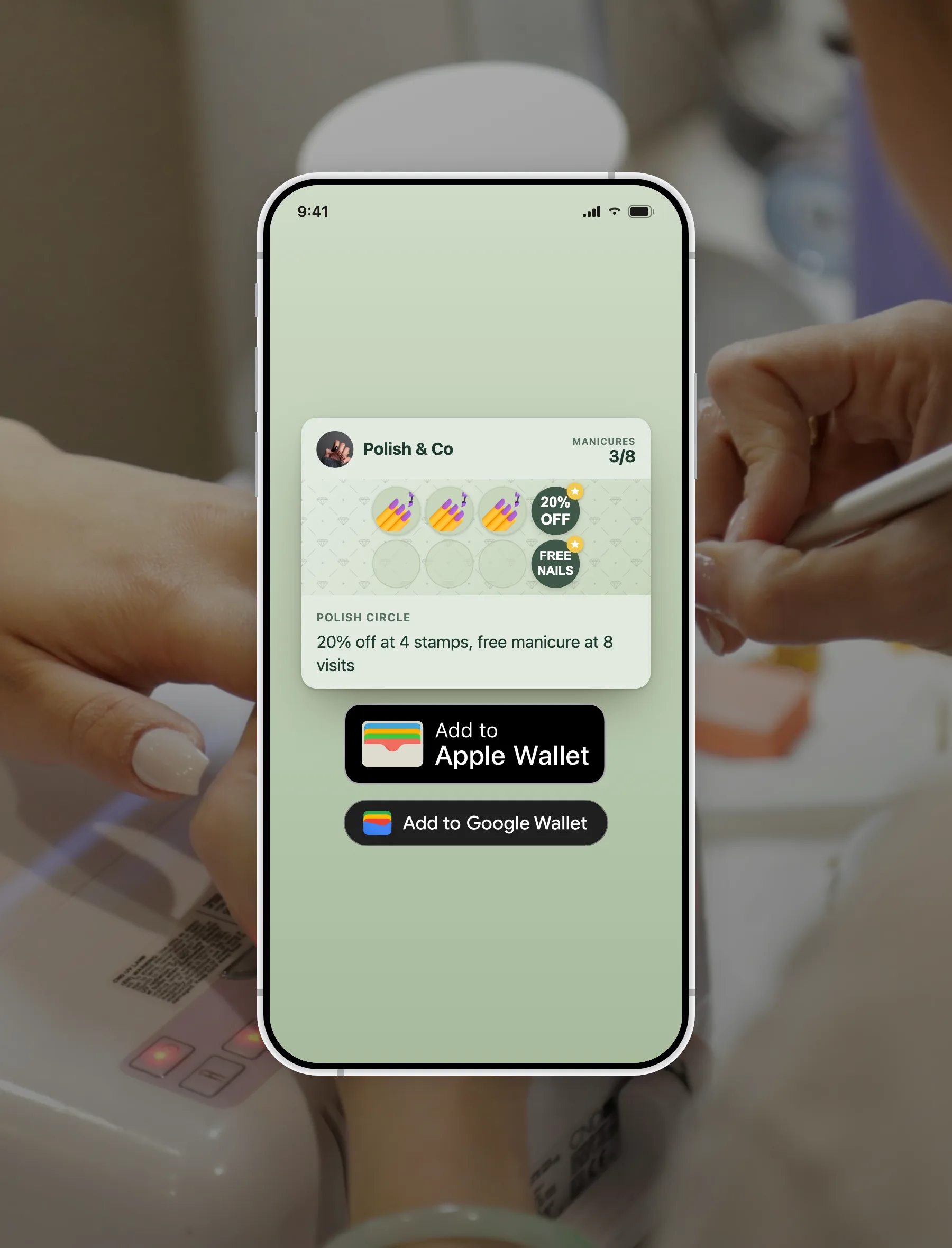
The same card carries an early reward and the main one, and saves straight into Apple Wallet or Google Wallet.
A basic stamp card vs FaveCard
The difference your customers actually feel.
| A basic stamp card | FaveCard | |
|---|---|---|
| Rewards per card | One, at the end | Unlimited, at any stamp |
| Reward customers early | No | Yes, place rewards anywhere |
| Head-start stamps | No | Yes, start with stamps pre-filled |
| Stamp icon & colours | Fixed | Your icon, your colours |
| Reward wording | Generic | Your words |
| Lives on the phone | Sometimes | Browser, plus Apple & Google Wallet |
| Cost to start | — | Free |
Included free
FREE
Multiple rewards, head-start stamps, colours and reward wording are on the free plan. FaveCard Pro adds your logo, a banner, custom stamp icons and Apple and Google Wallet passes; Business adds customer notifications.
Questions about loyalty card rewards
Everything about rewards, stamps and customization.
Can a loyalty card have more than one reward?
Yes. With FaveCard you can place as many rewards as you like on a single card, each at the stamp you choose, for example a small perk at stamp 3 and the main reward at stamp 8. There is no limit, and it is included on the free plan.
Can I give customers a head start with pre-filled stamps?
Yes. FaveCard lets you start new customers with a stamp or two already filled in. Cards that start with a couple of stamps already filled get completed far more often than identical cards starting from zero, so a small head start lifts completion.
How many stamps should a loyalty card have?
It depends on how often customers visit. The right question is wait time, not stamp count: aim to make the reward reachable within a few weeks. Our completion rate study has the full guidance.
Is customizing the card free?
Yes. Multiple rewards, the stamp icon, colours and reward text are all included on the free plan. Your logo, a banner image, custom stamp icons and Apple Wallet and Google Wallet passes are part of Pro; customer notifications are part of Business.
Do customers need an app to use the card?
No. The card opens on the phone from a link or QR code, and can be saved to Apple Wallet or Google Wallet. There is nothing to download. See our virtual loyalty card guide and why the wallet is becoming the loyalty platform.
Build a card customers actually finish
Free to start. No app for your customers. Live in minutes.