New: Free plan, $0, no time limit. No credit card needed.
Run a promotion straight on the loyalty cards your customers already carry. Pick a ready-made campaign, choose who gets it and how long it runs, and every card goes back to normal on its own when time's up.
Start free with FaveCard Business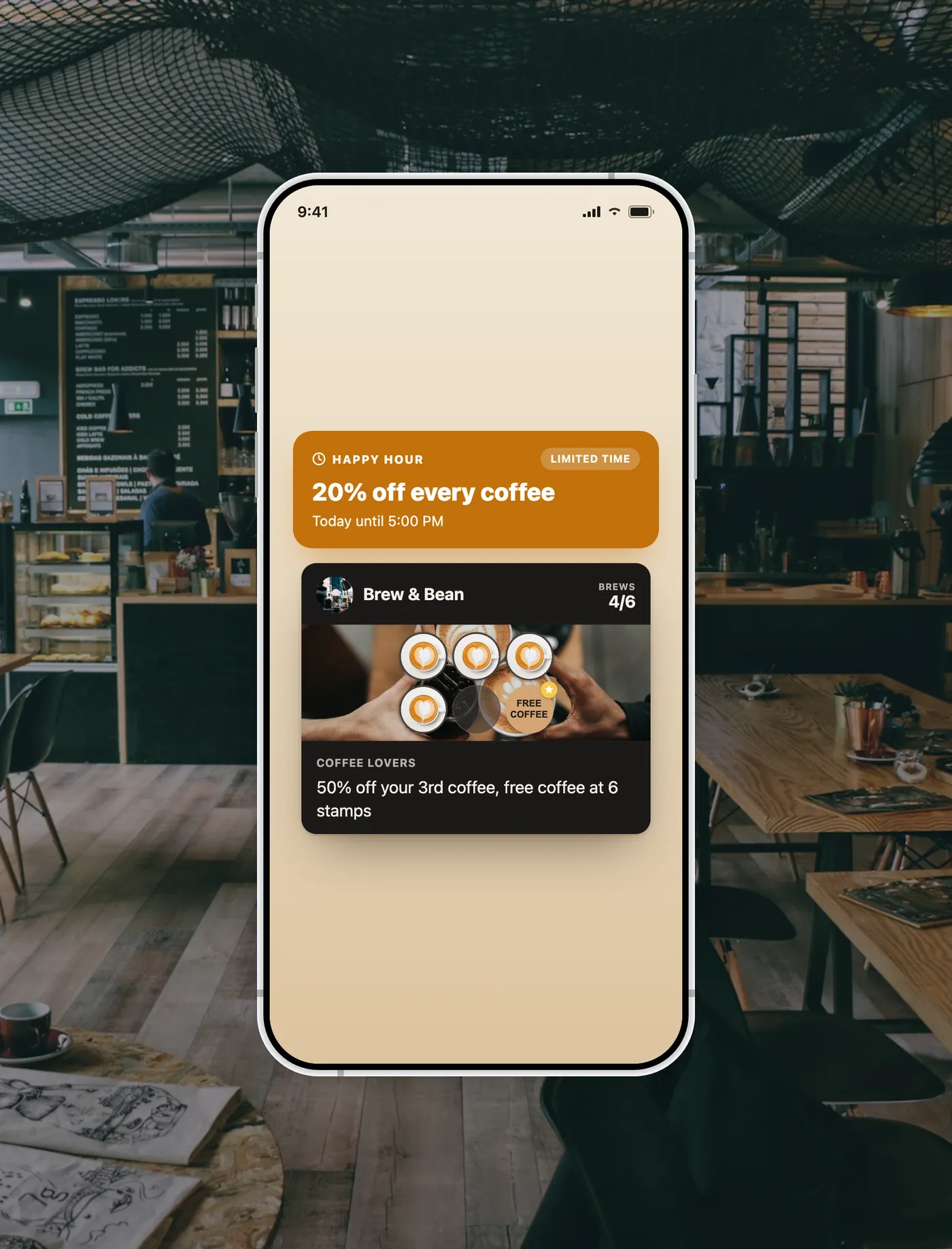
In short
FaveCard Campaigns let a local business such as a cafe, restaurant, salon or barber run a limited-time promotion directly on the digital loyalty cards their customers already carry in Apple or Google Wallet. You pick a ready-made template such as Slow Day, Happy Hour, Win Them Back, Spend & Get or Last Chance, or write your own, then choose who receives it (everyone, customers who haven't visited in a while, or specific people you pick) and how long it runs, from a day to two weeks. The offer appears on each customer's card, and anyone who keeps the card in their wallet also gets a notification on their phone. When the time is up, every card reverts to normal automatically. Campaigns are a Business feature. Free keeps working, and every new account can explore premium tools until the first 30 customers are on the card.
A quiet Tuesday, a slow afternoon, regulars you haven't seen in weeks: every local business has them. The usual fixes are a hassle. An SMS blast needs phone numbers and costs per message, a social post only reaches whoever the feed decides to show, and both are gone the moment you have sent them.
Want ideas first? See our guide to winning back lapsed customers or our coffee shop marketing ideas.
With FaveCard, the loyalty card your customers already carry becomes the campaign. Pick a template, set the offer and the window, and the deal appears on their card with a notification to their phone. When the campaign ends, every card quietly returns to normal, with nothing to undo and nothing to chase.
Pick a campaign, send it, and it cleans up after itself
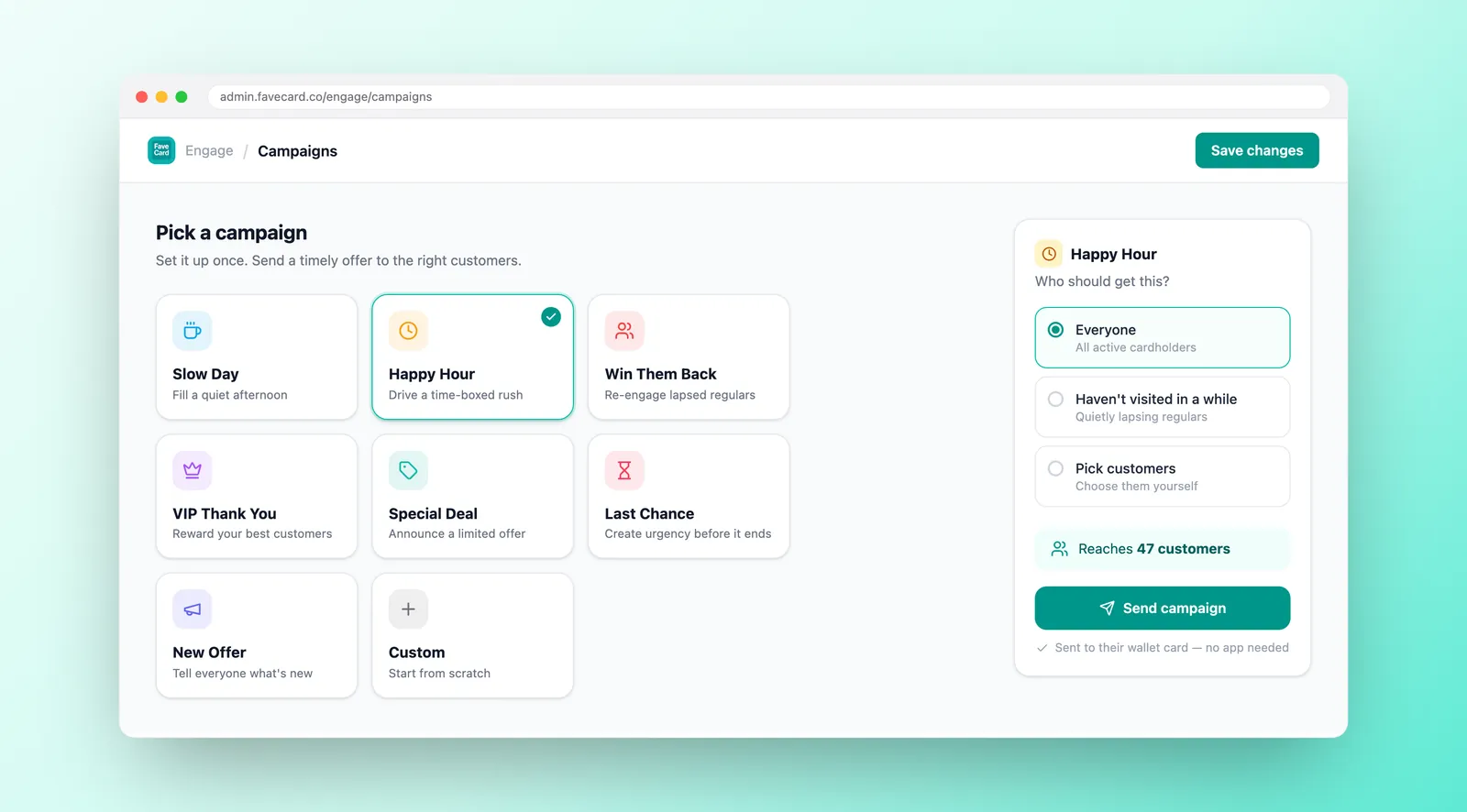
Choose a ready-made template, such as Slow Day, Happy Hour or Win Them Back, or write a custom one. Set your offer and the message your customers will see.
Send to everyone, to customers who haven't visited in a while, or to specific people you pick. Pick how long it runs, from a day to two weeks. You see how many people it reaches before you send.
The offer appears on every active customer's card, and those who keep it in their wallet get a notification. When the window closes, every card reverts to normal on its own.
Good to know: before you send, FaveCard shows you exactly how many customers a campaign will reach, so there are no surprises.
A real offer on the card they already use
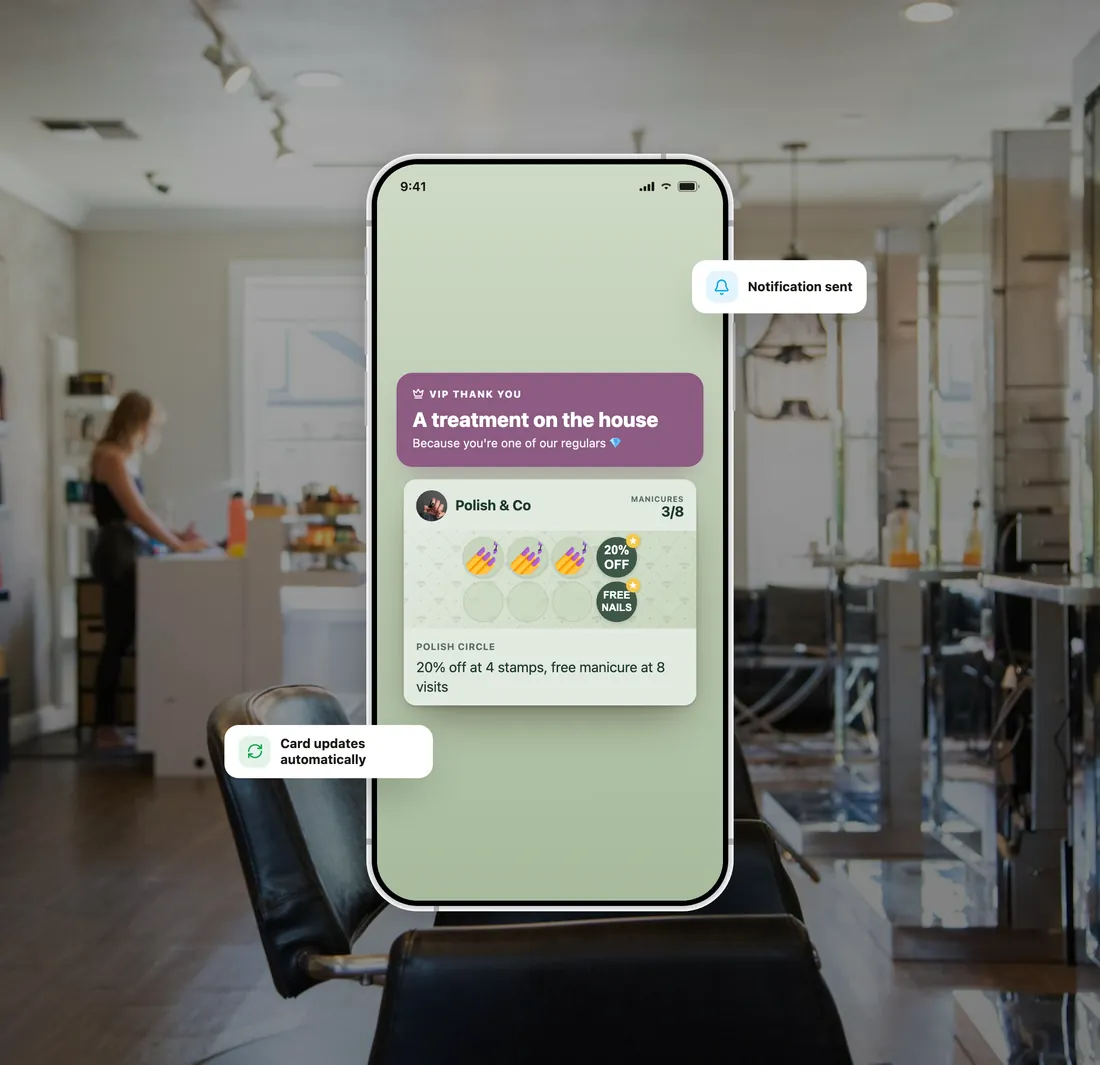
The card they open to check stamps turns into your deal: your headline and offer, right where they already look. No new app, no login, nothing to download.
Customers who keep the card in Apple or Google Wallet get a notification on their phone when the campaign goes live, so the offer doesn't wait to be noticed.
The deal runs for the window you set. When it is over, or once they visit or redeem it, the card returns to its normal look by itself.
FaveCard vs the usual ways to run a quick promotion
| An SMS blast | A social post | FaveCard | |
|---|---|---|---|
| Where the offer lives | In a text they may not open | In a feed, easy to scroll past | On the loyalty card they already carry |
| How it reaches them | Needs phone numbers, costs per text | Only if the feed shows it | A notification to the wallet card, no phone number needed |
| Who you can target | Everyone, or lists you build by hand | Whoever follows you | Everyone, lapsed customers, or people you pick |
| When it ends | Sent and gone | You remember to delete the post | Every card reverts on its own |
| Setup | Write it, upload a list | Design a post | Pick a template and send |
An SMS blast costs per message and needs phone numbers; a social post only reaches part of your following. FaveCard puts the offer on the card your customer already uses to come back, and takes it down by itself when the campaign ends.
Ready-made templates for the moments every local business knows
Available on FaveCard Business
Business
Every new account starts with premium tools until the first 30 customers are on the card. No credit card needed.
See full pricing details and compare Free, Pro, Business and Multi side by side.
What cafe, salon and shop owners ask before running their first campaign
No. The offer appears on the loyalty card your customer already has on their phone, the same card they open to check stamps and rewards. There's no app to download and no account to create. Customers who keep the card in Apple or Google Wallet also get a notification when the campaign goes live.
Automatically. When you create a campaign you set how long it runs, from a day to a weekend to a week. When that window ends, or once the customer visits or redeems the offer, FaveCard reverts every card to its usual look on its own. You don't have to send anything to switch it off.
You choose: everyone with an active card, customers who haven't visited in a while, or specific customers you pick by hand. FaveCard works out the lapsed group from how recently people have visited, and shows you how many customers a campaign will reach before you send it.
No. A campaign changes the offer and message shown on the card for a set time; it doesn't touch anyone's stamp count or rewards. Your customers keep collecting stamps as usual, and when the campaign ends the card simply returns to its normal look.
On Business there is no monthly limit. One campaign runs at a time, so your customers never see two competing offers on the same card. While premium tools are unlocked for your first 30 customers, you can send up to four a month, one per 24 hours: enough for a slow-day offer, a weekend special, a win-back run and a VIP thank-you.
Customer Messages are for sending a one-off note to your customers, such as a heads-up, a thank-you or an update. Campaigns are for limited-time offers: they turn the card itself into a deal for a set window and then revert it automatically. Same wallet, two jobs: a message versus a running promotion.
Whatever you decide. You write the offer and the message; the campaign places it on the card and you honour it in person, the same way you would any in-store promotion. FaveCard doesn't process payments or discounts, it puts your offer in front of the right customers at the right time.
Campaigns are a Business feature, included from Business. The Free plan ($0, no time limit) still gives you a working digital loyalty card, and every new account starts with premium tools until the first 30 customers are on the card. You can design and preview a campaign while premium tools are unlocked; sending stays available on Business.
Pick a template, set your offer, and it is live on your customers' cards in under a minute.