




BUSINESS FEATURE
Send Messages to Customers' Phones
Reach your customers between visits through the loyalty card they already have. No app. No phone numbers. Better than SMS.
In short
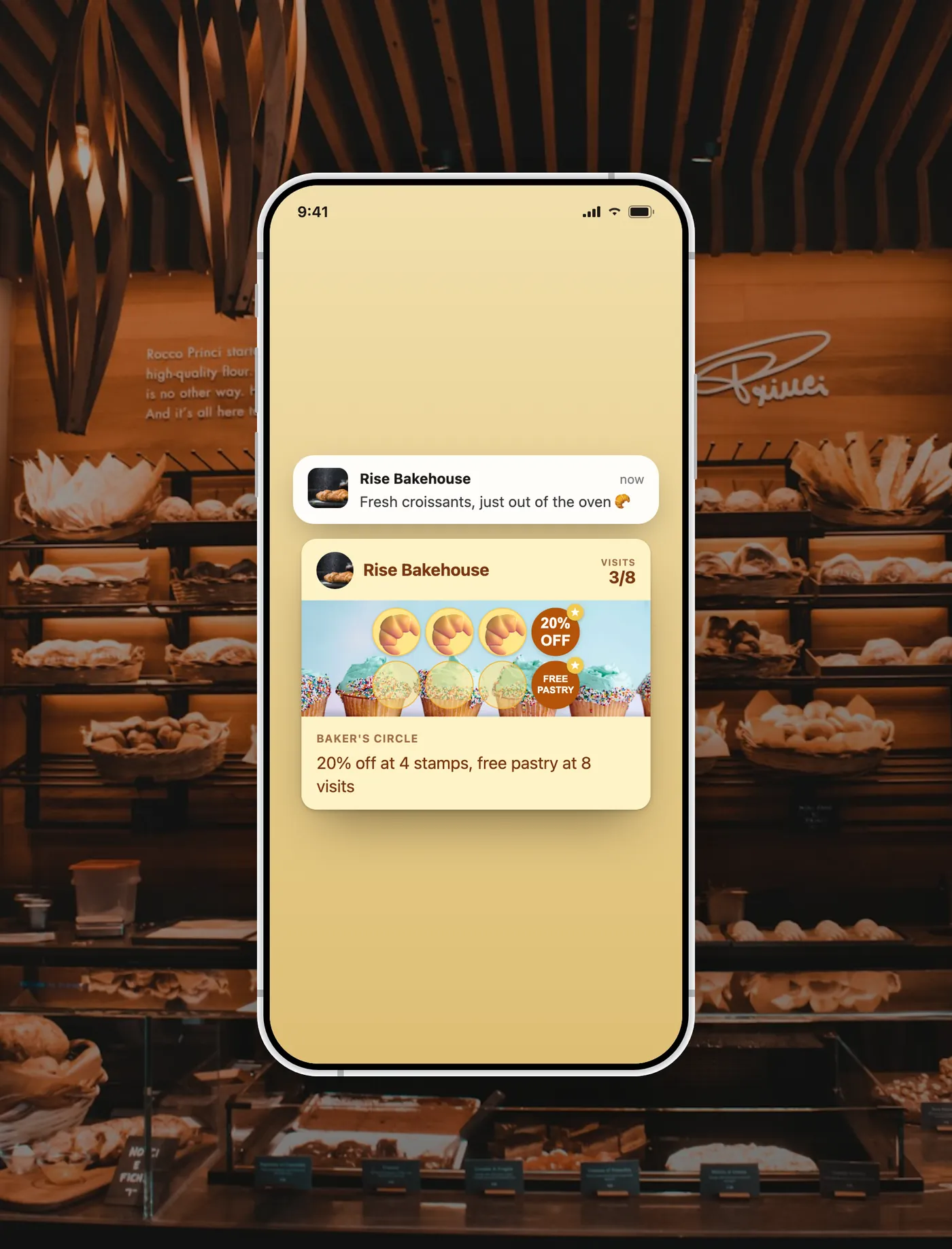
FaveCard lets small businesses send messages to customers through their Apple or Google Wallet loyalty card. No app download, no phone number required. Customers see the message on their lock screen, like a text. It is included with the Business plan, with no per-message cost.
The problem
When a customer leaves your shop, you have no way to bring them back. No phone number. No email. You just wait and hope they remember you.
Research shows 68% of customers leave a business due to perceived indifference. They simply forget about you. See our guide on how to get repeat customers for more strategies.
Until now
With FaveCard, you can send a message straight to their phone through the loyalty card they already have in their wallet. A message pops up on their screen, like a text from a friend.
How it works
3 simple steps to reach your customers
-
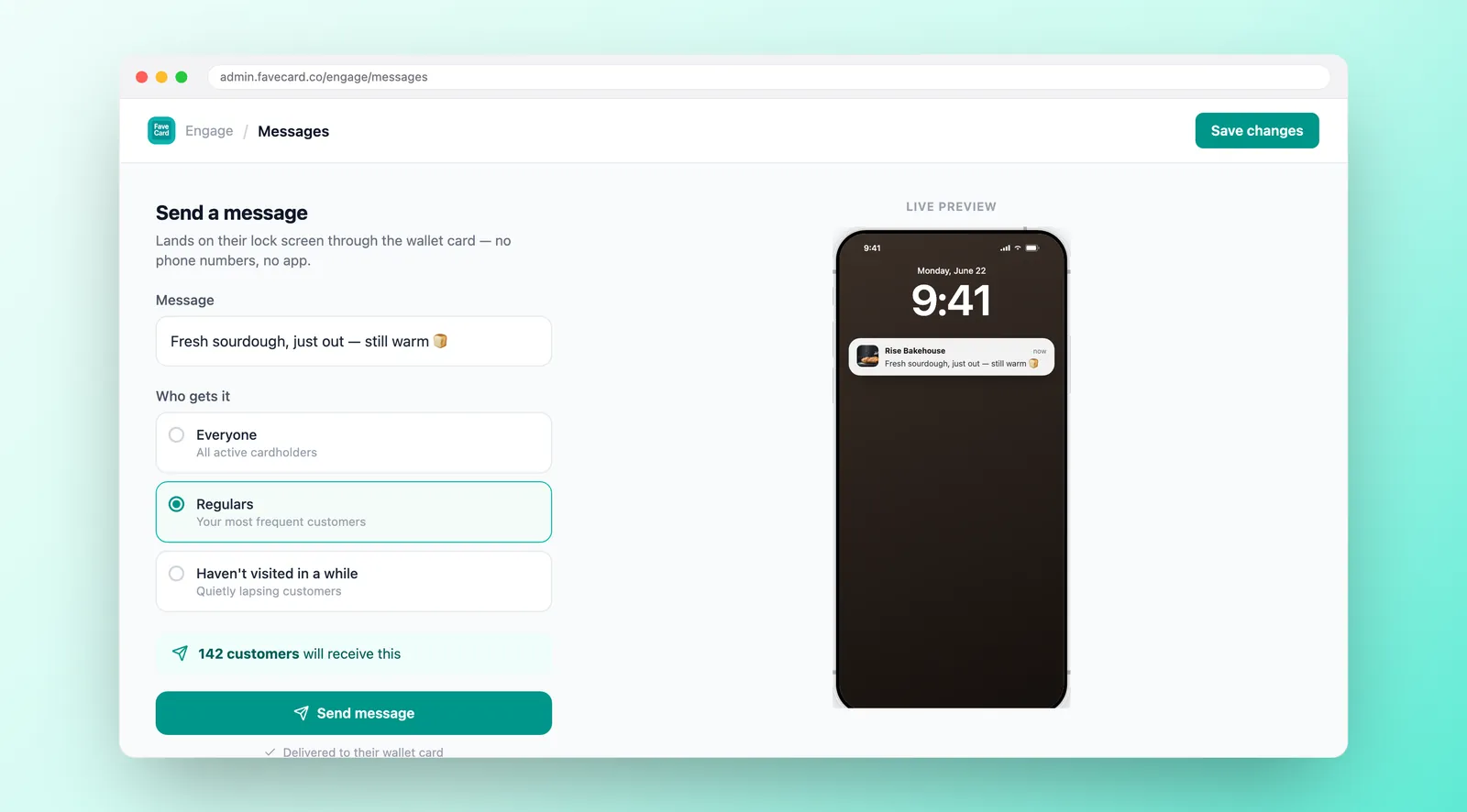
Write a short message
"Free pastry with any coffee this weekend!" Keep it simple, reward-focused, and personal.
-
Pick who gets it
Send to everyone, regulars only, inactive customers, or pick specific people manually.
-
Hit send
The message appears on their phone screen. They tap it, see their loyalty card, and come back.
What your customers see
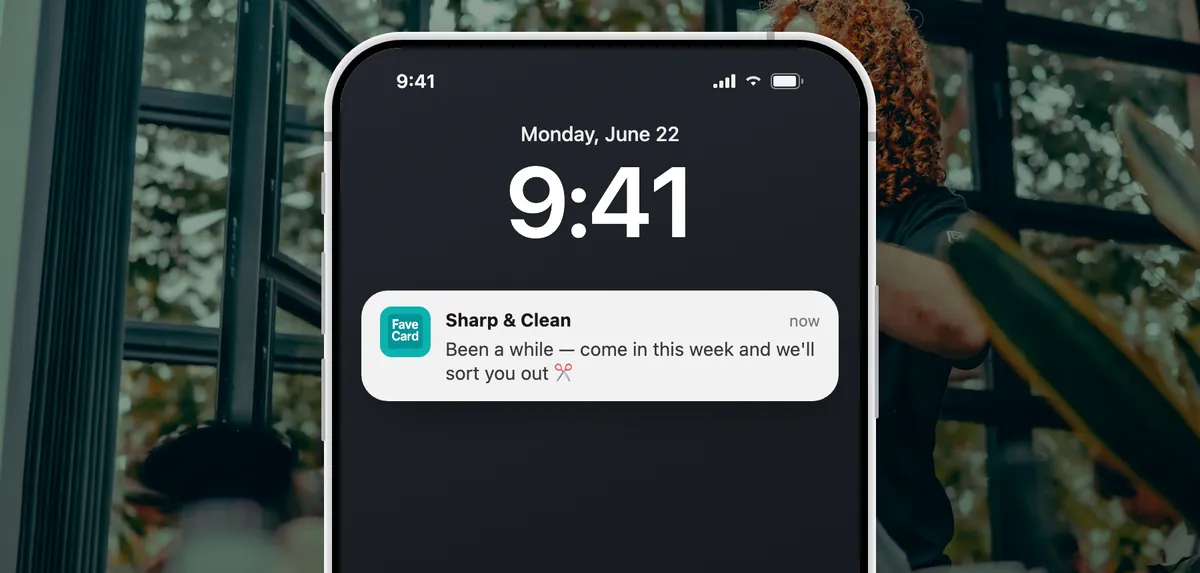
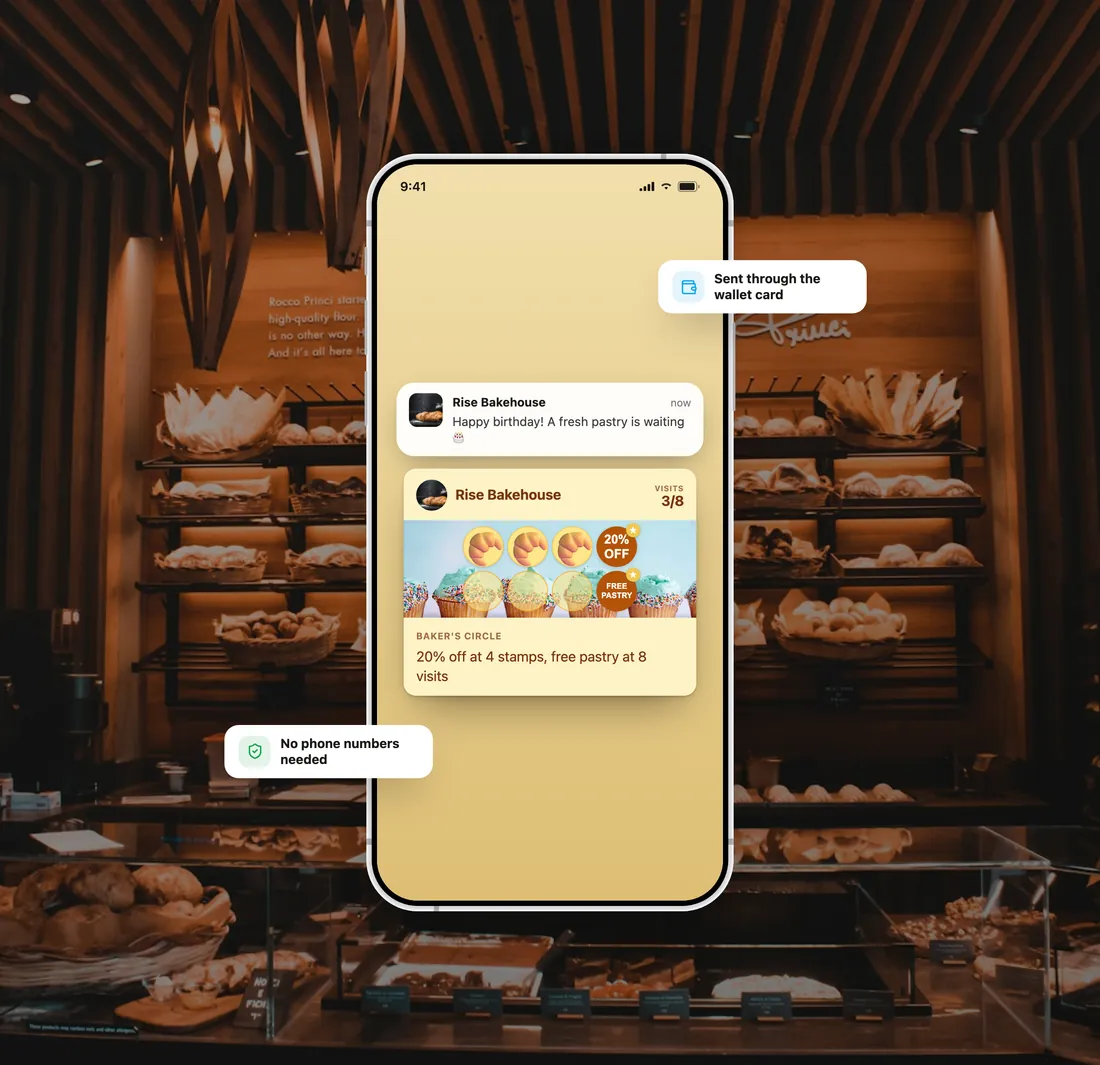
A message pops up on their phone, just like a text
-
Lock screen notification
The message shows up on their phone screen, even when it's locked. They see it instantly, like a text message.
-
Card text updates
When they open the loyalty card in their wallet, your message appears right on the card. It stays there until you change it.
-
No app download. No phone number needed.
The message goes through the loyalty card they already added to Apple or Google Wallet. Zero friction.
How does it compare?
FaveCard messages vs. traditional ways to reach customers
| SMS | App | FaveCard Messages | ||
|---|---|---|---|---|
| Cost | Free tools exist | $0.01–0.05 per msg | Free to send | Included in the Business plan |
| Requires | Email address | Phone number | App download | Nothing. They already have the card |
| Open rate | ~20% | ~45% | ~60% | ~90% (lock screen) |
| Friction | Medium | Low | High (download) | Zero |
| Feels like | Marketing blast | Spam from a brand | Another app notification | A message from your favorite shop |
Message ideas for your business
Real examples that bring customers back
-
Cafe
- “Free pastry with coffee before noon!”
- “New seasonal latte, come try it”
- “2 stamps to free coffee, come this week!”
-
Salon
- “We miss you! Book this week for 15% off”
- “New colorist: 20% off colour this month”
- “1 visit from free blowout!”
-
Barber
- “Slow Tuesday? 20% off your cut today”
- “Been a while! Free beard trim this week”
- “Holiday weekend: 15% off every cut”
-
Nail Salon
- “New gel colors arrived!”
- “Valentine's: free nail art this week”
- “Walk-ins welcome, 10% off until 5pm”
-
Restaurant
- “New menu item, come try it!”
- “Lunch: free drink Mon–Thu”
- “We saved a table for you this week”
Birthday Messages
Birthday messages that feel personal
Turn on Birthday Automation once and it runs every year. On the morning of each customer's birthday, in your time zone, FaveCard puts your message and offer on their loyalty card. If the card is saved in Apple Wallet, the message also shows on the lock screen. An optional birthday email can go out too.
10x higher conversion for birthday emails than for the average marketing email (0.72% vs 0.07%, Omnisend, 2023 data)
-
Day and month, from the join form
Your join form includes an optional birthday field, so customers can add it when they sign up for your card. Just day and month, no year.
-
A gift, not a discount
A free coffee or complimentary upgrade feels like a genuine gift. Discounts feel transactional. Birthday customers bring friends, and one freebie pays for itself.
-
On the day, with time to book
The birthday message arrives on the morning of the birthday itself. The offer stays on the card for 1 week, 2 weeks or 1 month (you choose), so salon and restaurant customers have time to book. It clears sooner once they visit.
Simple pricing
See full pricing details and compare Free, Pro and Business side by side.
BUSINESS FEATURE
Available on the Business plan
Business
- Each campaign reaches all selected customers
- Custom branding on your card
- Delivery stats for every campaign
- Customer email access
Your new account: 30 days free with your card in Wallet, your logo and campaigns. No card needed.
Frequently Asked Questions
Everything you need to know about sending messages to customers
How many campaigns can I send per month?
On the Business plan you can send up to 4 campaigns a month, one a day, with one campaign running at a time. Each campaign reaches every customer you select: all card holders, regulars, inactive customers, or specific people. If you have 200 card holders and send one campaign to all of them, that's 200 people reached in one go. That means you can reach your entire customer base every week for special offers, slow days, or bringing back inactive customers.
Do customers need to download an app?
No. The message goes through the loyalty card they already have in Apple or Google Wallet. When they added your stamp card to their phone, that's all they needed to do. Your messages show up as a notification on their lock screen, just like a text.
How is this different from SMS?
Three big differences: (1) It's included in the Business plan. SMS costs $0.01–0.05 per message, but FaveCard messages are included at one flat monthly price. (2) You don't need phone numbers. It works through the card they already have. (3) It doesn't feel like spam. A message from your loyalty card feels like a reward from a shop they love, not marketing from a brand.
What does a message look like on the customer's phone?
It looks like a regular notification on their lock screen, similar to a text message. When they tap it, their loyalty card opens in Apple or Google Wallet with your message visible. The card text also updates, so every time they see the card, they see your latest message.
Can I choose who receives the message?
Yes. You can send to all card holders, only regulars (customers who visit often), inactive customers (haven't visited in a while), or select specific people manually. This lets you target the right message to the right customers.
How much does it cost?
Messages are included in the Business plan, up to 4 campaigns a month, one a day, and each one reaches all selected customers (100 customers? All 100 get the message). Plus your own logo on cards, delivery stats for every campaign, and customer email access. The stamp card itself is free forever. No credit card needed to start. See full pricing details.
Will customers find this spammy?
No, for two reasons. First, only one campaign can run at a time, so there's a natural limit. Second, the best messages are reward-focused: "Free pastry with any coffee this weekend!", "Free coffee waiting for you today only". Customers see these as perks from a shop they like, not ads from a brand.
Can I send messages in any language?
Yes. You write the message in whatever language your customers speak. There are no restrictions on language or characters. If your customers speak Spanish, write in Spanish. If they speak Polish, write in Polish.
Bring customers back between visits
Write a message. Hit send. It appears on their phone. That simple.