




BUSINESS FEATURE
Get more Google reviews, without asking everyone yourself
FaveCard asks your customers to leave a Google review at the right moment, right on the loyalty card they already keep on their phone. One tap, straight to Google.
In short
FaveCard Google Reviews is a review request tool for local businesses such as cafes, restaurants, salons and barbers. It asks your customers to leave a Google review at a well-chosen moment, for example just after they redeem a reward, right on the loyalty card they already keep on their phone. Every asked customer is taken straight to Google in one tap, with a link or QR code. It asks everyone and never screens or filters people, so it stays inside Google's rules. It is a paid feature, with a free plan and premium tools until the first 30 customers are on the card for every new account.
The problem
Happy customers rarely think to leave a review. They love your coffee or their fresh cut, they mean to say so, then life carries on and they forget. Asking face to face feels awkward, and a sign on the counter is easy to walk past. So your best regulars stay quiet while a stray unhappy voice sits at the top of your Google listing.
See our guides on how to collect customer feedback and customer satisfaction surveys.
A better way
FaveCard does the asking for you, at the moment a customer is happiest, right on the loyalty card already on their phone. One tap takes them straight to Google. You ask every customer, not just a chosen few, so more of your genuine regulars finally leave the review they always meant to.
How it works
3 simple steps to start collecting more Google reviews
-
Connect your Google listing
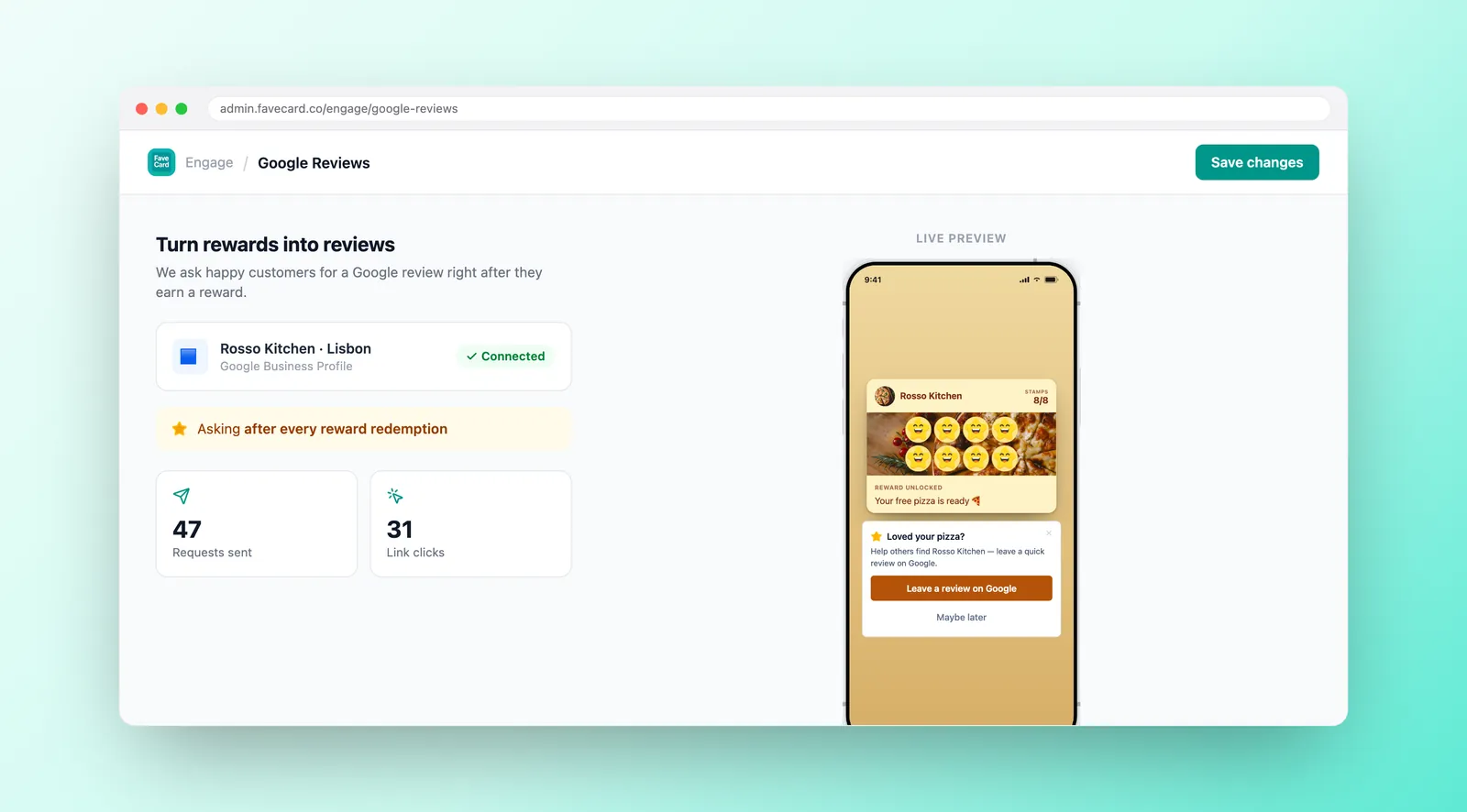
Point FaveCard at your Google Business Profile once. That's the place every review will land, so customers leave it publicly on Google, not on us.
-
FaveCard asks at the right moment
The review request goes out at a high point in the visit, like just after a reward is redeemed, when a customer is most pleased and most likely to say so.
-
Customers tap straight to Google
Every asked customer gets a one-tap link or QR code that opens Google's review box. No pre-screening, no filtering. Everyone gets the same straight path.
What your customers see
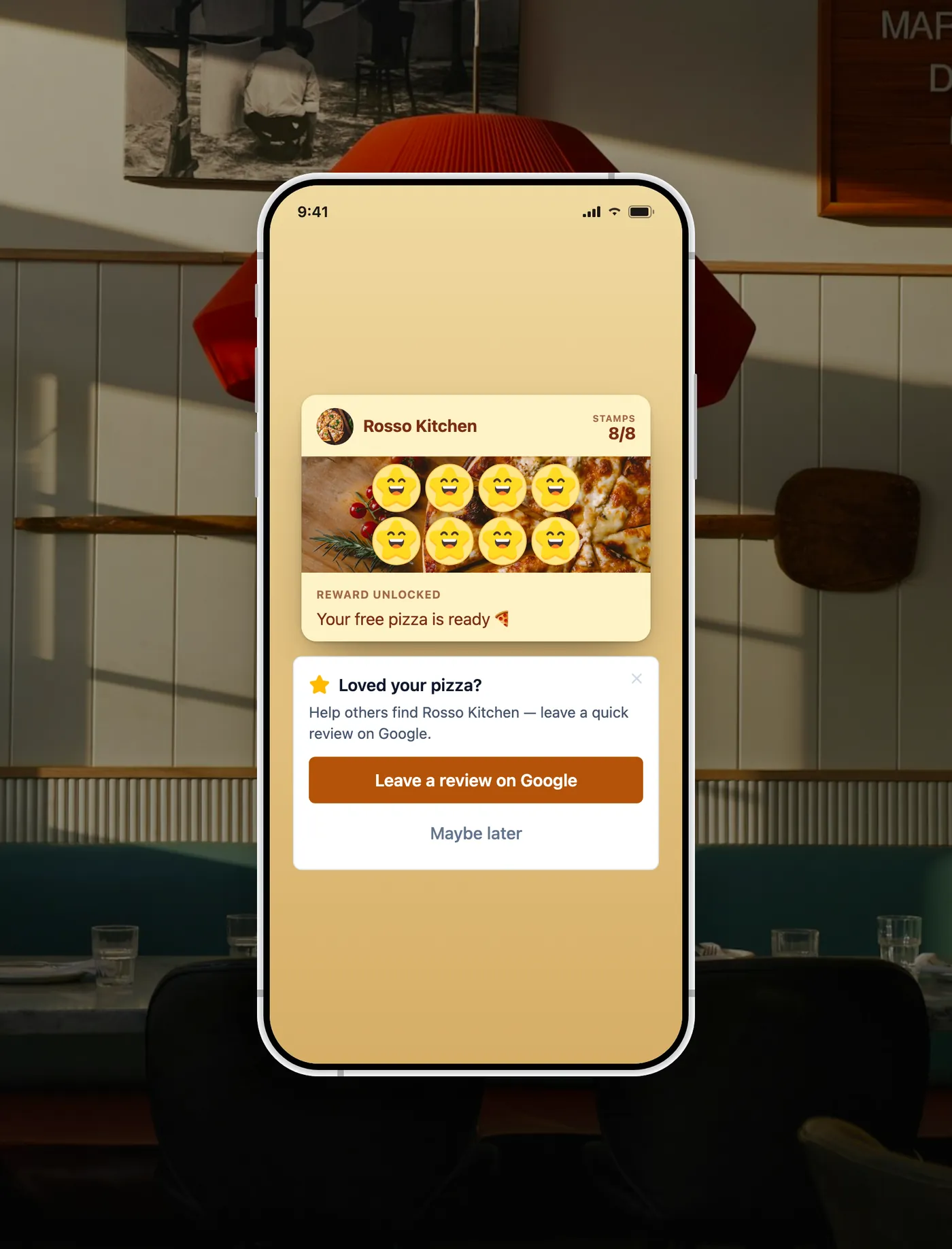
A simple review request, right on the card they already use
-
On their loyalty card
The request appears on the loyalty card your customer opens to check stamps and rewards. No new app, no login, nothing to download.
-
One tap to Google
A single tap, or a quick scan of a QR code, opens Google's own review box. No hunting for your listing, no copying links.
-
Asked at the right moment
The ask arrives when a customer is happiest, for example right after they redeem a reward, so saying thanks with a review feels natural.
How does it compare?
FaveCard vs the usual ways of asking for Google reviews
| Asking in person | A sign on the counter | FaveCard | |
|---|---|---|---|
| When it asks | Only if you remember, in the moment | Whenever someone happens to notice it | At the right moment, automatically |
| Effort for you | You have to ask every single person | You put up the sign and hope | Set it once, FaveCard does the asking |
| Gets the timing right | Hard. You're busy serving | No. It's the same sign all day | Yes. Asked when they're happiest |
| One tap to Google | No. They have to find you later | They scan, then search for your listing | Yes. Straight to Google's review box |
| See your progress | Nowhere. It's all in your head | No way to tell what's working | Track requests from your dashboard |
The best moment to ask, by trade
When your customers are happiest is when they'll happily leave a review
-
Café
- “Best moment: just after a regular earns their free coffee.”
- “They're a few sips in and already pleased.”
- “A quick tap from the card beats catching them at a busy till.”
-
Restaurant
- “Best moment: after a good meal, once the reward lands.”
- “People are full, happy and relaxed at the table.”
- “Asking on their phone is easier than catching them on the way out.”
-
Hair salon
- “Best moment: right after a colour or cut they love.”
- “That fresh-from-the-chair feeling is your window.”
- “The ask reaches their card, so they review once they're home admiring it.”
-
Barber
- “Best moment: when a loyal client redeems their free cut.”
- “They're checking the mirror and chuffed with the result.”
- “One tap from the card is far easier than asking mid-conversation.”
-
Nail & beauty
- “Best moment: just after a treatment or a redeemed reward.”
- “Fresh nails and a relaxed client make for a kind review.”
- “The request sits on the card, ready when they show a friend.”
Simple pricing
See full pricing details and compare Free, Pro, Business and Multi side by side.
BUSINESS FEATURE
Available on FaveCard Business
Business
- Ask every customer for a Google review, at the right moment
- One-tap link or QR code straight to your Google listing
- Asks everyone, never screens or filters, fully within Google's rules
- Track your review requests from one dashboard
Every new account starts with premium tools until the first 30 customers are on the card. No credit card needed.
Frequently Asked Questions
Everything you need to know about getting more Google reviews
Is it against Google's rules to ask for reviews?
No. Asking is fine and even encouraged. Google's own guidance says you can ask customers to visit a Google link or scan a QR code to leave a review, which is exactly what FaveCard does. What breaks the rules is review gating: screening people first and only sending the happy ones to Google while steering unhappy ones away. FaveCard never does that. It asks every customer and takes everyone down the same one-tap path to Google.
When does it ask?
At a high point in the customer's visit, when they're most pleased, for example just after they redeem a reward. The request appears on the loyalty card they already keep on their phone, so it feels timely and natural rather than like a random blast.
Does the customer need an app?
No. The review request appears on the loyalty card your customer already has on their phone, the same card they open to check stamps and rewards. There's no app to download, no account to create, and no phone number to share. They simply tap through to Google.
What about unhappy customers?
Google Reviews are asked of everyone, with no screening, because that's the only honest and compliant way to do it. If you want a private channel to hear concerns before they become a public complaint, that's what FaveCard's separate Surveys feature is for: private feedback that comes straight to your dashboard. Use Surveys to listen, and Google Reviews to invite everyone to share publicly. Our guide to feedback and reviews explains how the two work together.
Will it really get me more reviews?
We can't promise a specific number, and we'd never sell you fake reviews. What FaveCard does is remove the two reasons most happy customers never leave one: nobody asked them at a good moment, and finding your listing felt like a chore. By asking everyone right after a happy moment and giving them a one-tap path to Google, far more of your genuine regulars get the nudge they needed.
Is it included in the Free plan?
Google Reviews are a Business feature. The Free plan (no time limit) still gives you a working digital loyalty card, and every new account gets premium tools until the first 30 customers are on the card, so you can try review requests and other Business tools before deciding. Team accounts, multiple cards and manual stamping from the dashboard are not part of the trial.
Turn happy visits into Google reviews
Let FaveCard ask every customer at the right moment, with one tap straight to Google.