New: Free plan, $0, no time limit. No credit card needed.
Customers answer a couple of optional questions when they take your card, on their own phone and in their own language. Next time they come in, your team sees the answers on the same screen as the stamp button.
Start free with FaveCard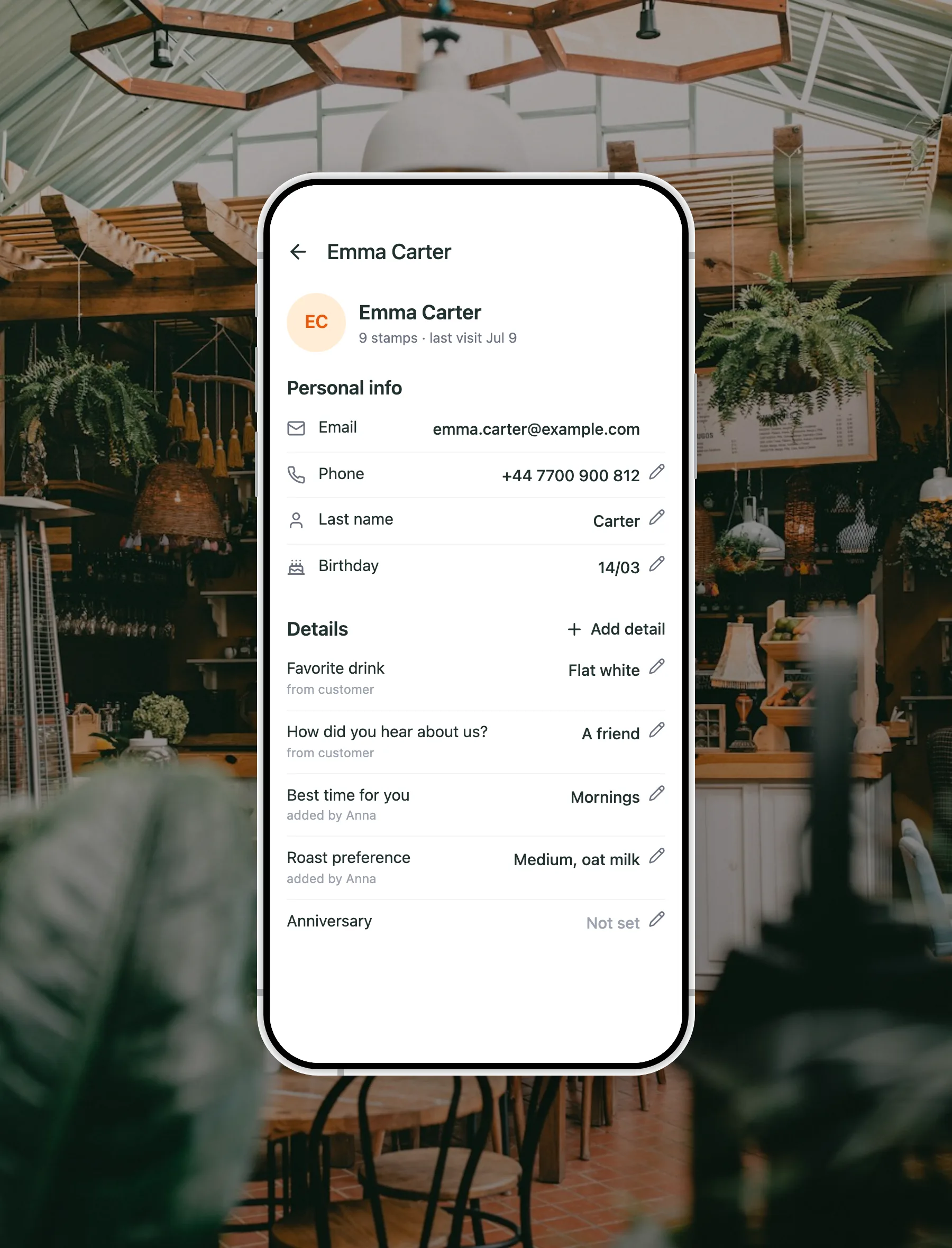
In short
Customer memory is FaveCard's name for a simple loop: a customer answers a few optional questions when they take your digital loyalty card, on their own phone and in their own language, and the answers are saved with that card. At the next visit your team scans the card, and the answers sit on the same screen as the Add stamp button, so a regular can be greeted with their usual instead of being asked all over again. You choose from 20+ ready-made questions, translated into 30 languages, or write up to five of your own, and it is part of the FaveCard Business plan.
A regular comes in every week and orders the same thing, and nobody writes it down. Then the one person who knew them has a day off, or a new starter is on the counter, and that regular is a stranger again. Notes on a pad get lost. Asking the same questions face to face only makes the queue longer.
Let the customer tell you once, on their own phone, while they are taking your card. A question or two, answered in a few seconds, saved with that card. From then on anyone on your team can see it, so the welcome no longer depends on who happens to be working that day.
Four steps, and only the first one is yours
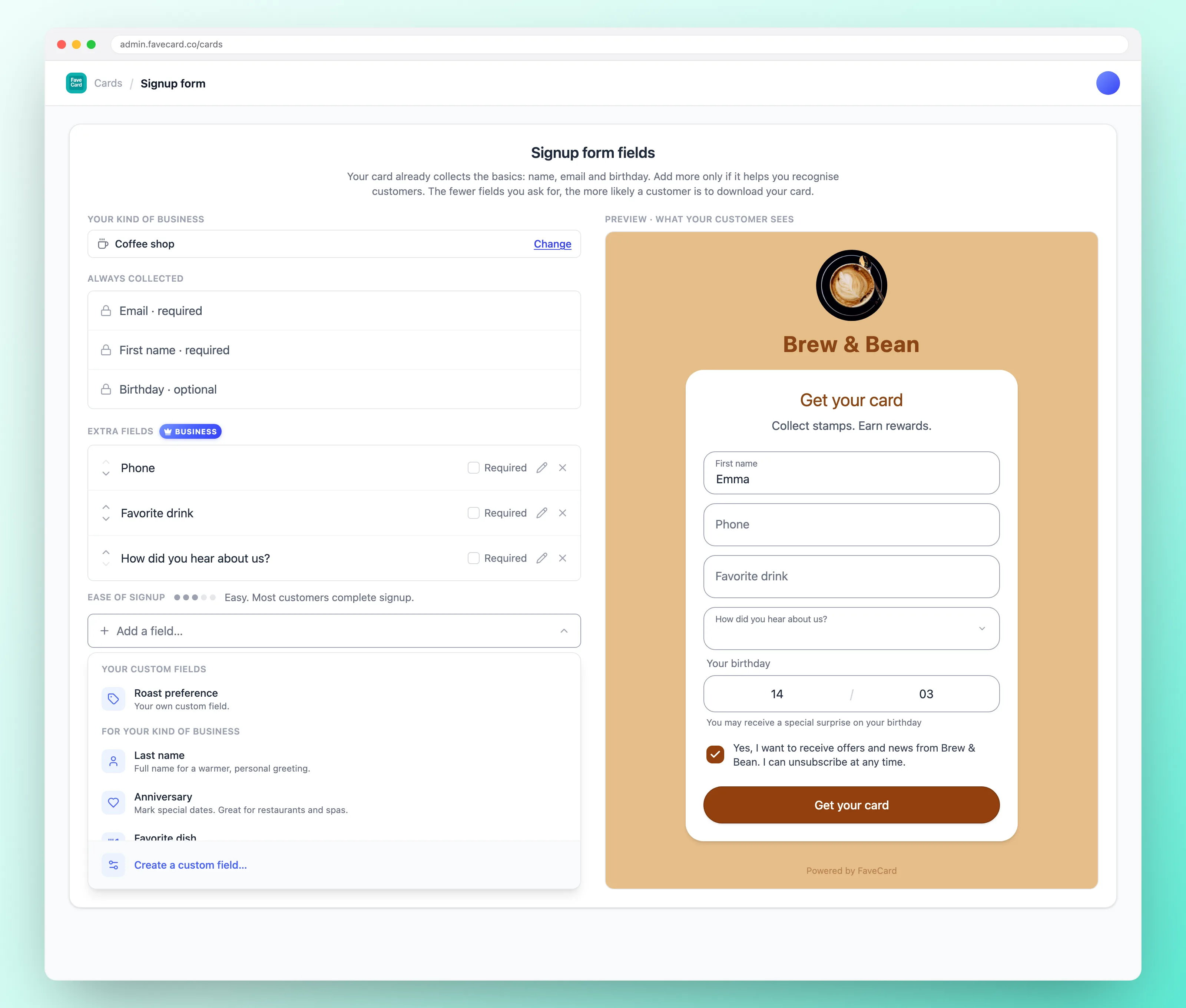
Pick a few from 20+ ready-made questions, or write up to five of your own. FaveCard suggests the ones that suit your trade. Most cards ask for one or two extra things.
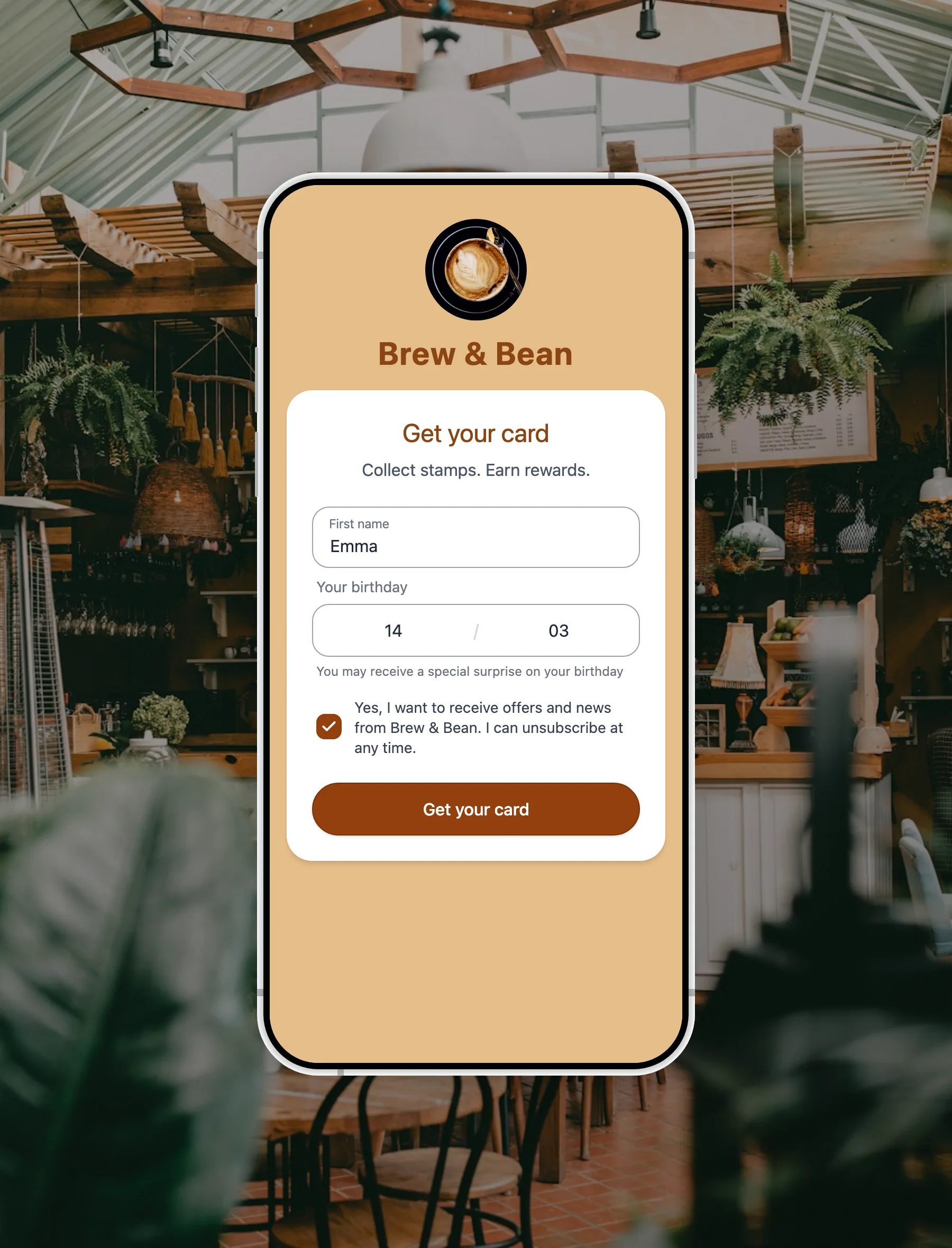
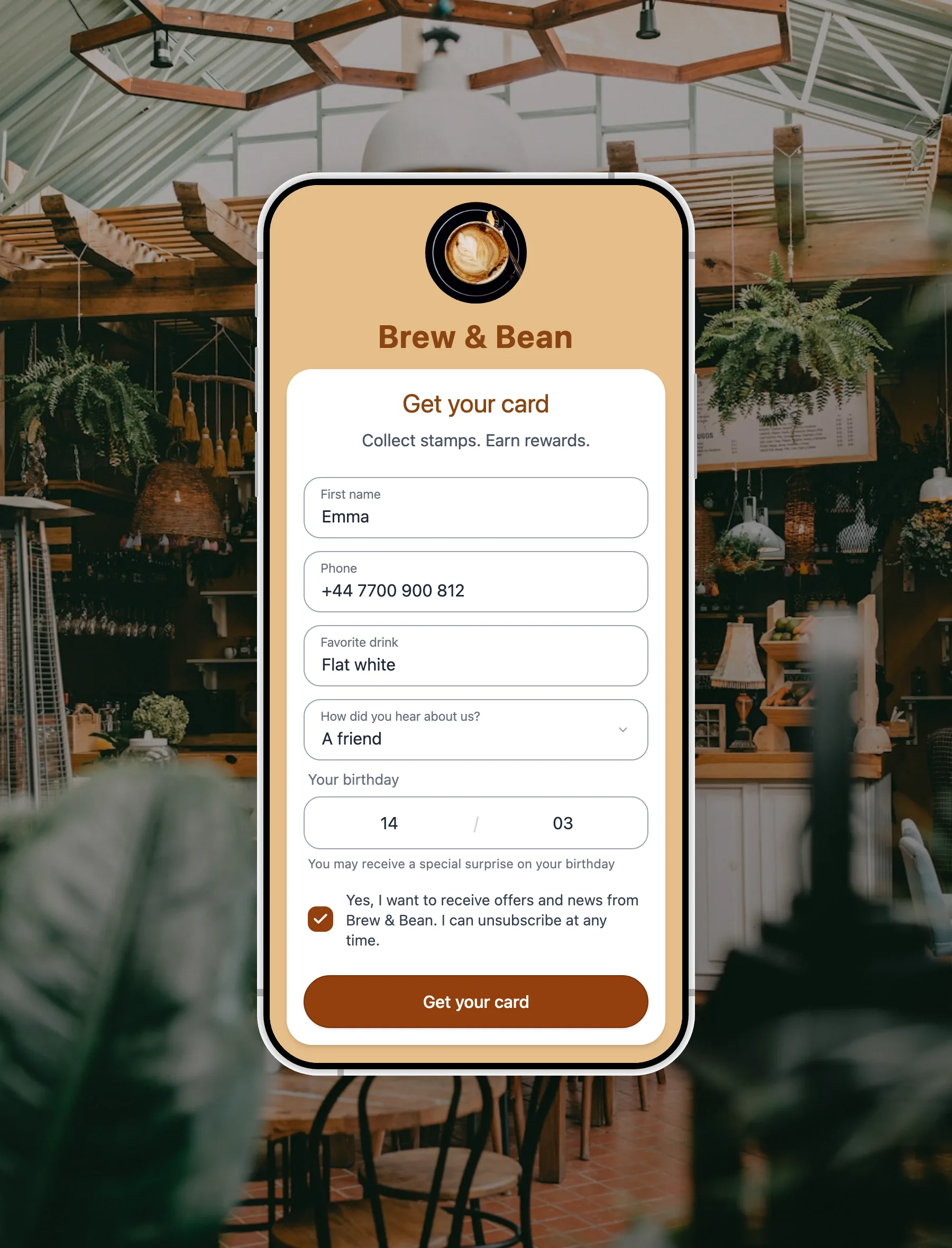
The questions appear on your signup form when someone adds your card, on their own phone. Every ready-made question, and every answer option inside it, is translated into 30 languages.
Each answer lands on that customer's profile, labelled with the question and marked with where it came from. Your team can edit it or add to it later.
On the next visit, scan the card. The customer's first name is at the top, and the answers they gave are on the same screen as the Add stamp button.
Good to know: the 20+ ready-made questions are translated for you, in 30 languages. A question you write yourself shows exactly as you typed it, in your words.
A short form on their own phone, in their own language
A first name and an email get them the card. Anything you add on top is a question or two, and they can skip it unless you mark it required.
The ready-made questions and their answer options ship in 30 languages, so a customer who does not read your language still knows exactly what you are asking.
They fill it in where they already are, then the card goes straight into Apple or Google Wallet. Nothing to download and nothing to remember.
At the counter, on the next visit, before the stamp
Scan the card and the customer's first name is at the top of the screen, before anyone adds a stamp.
On the same screen as the Add stamp button: their usual order, who they usually see, their pet's name, whatever you chose to ask.
Staff read and update those answers from their own login. Contact details such as a phone number stay with the account owner.
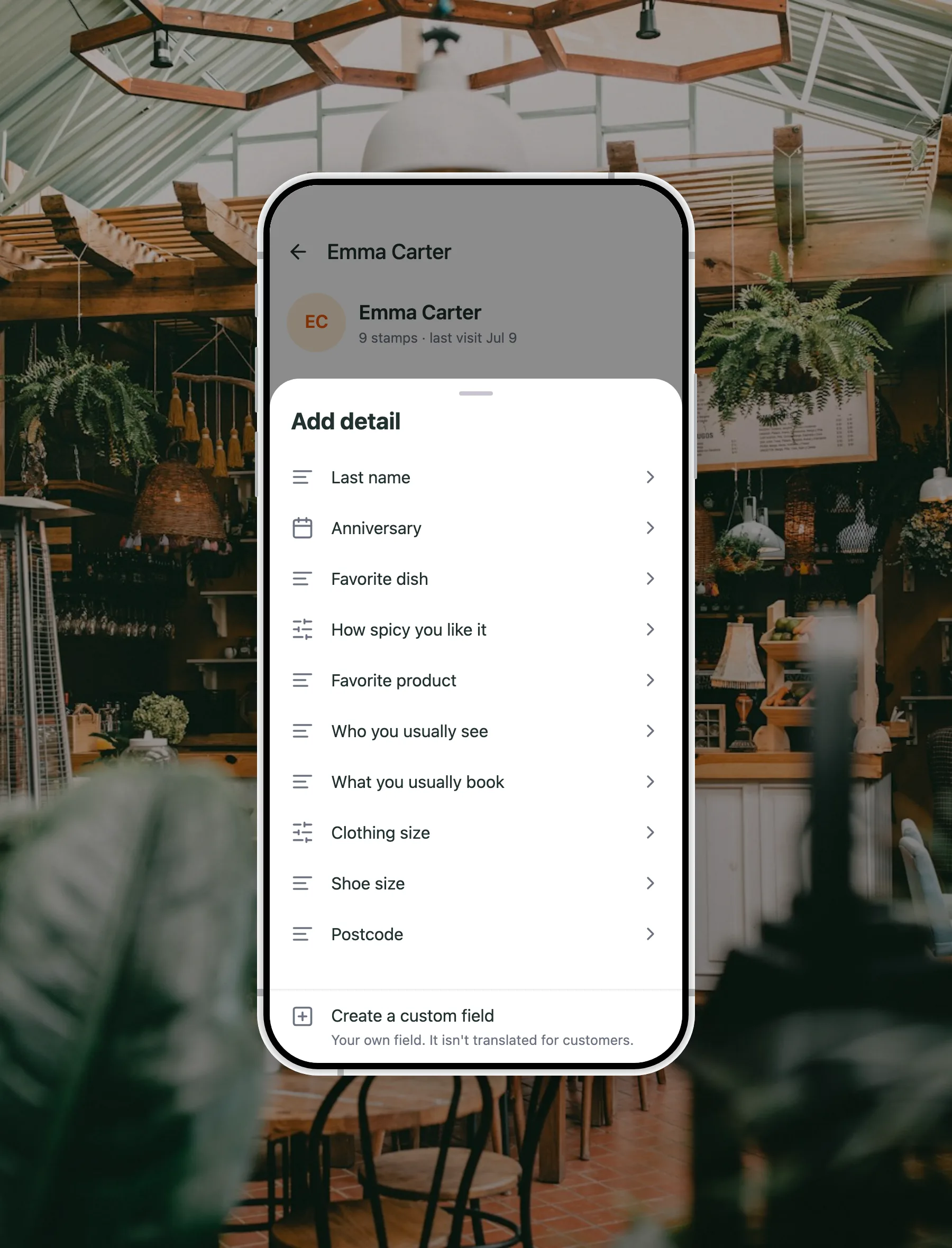
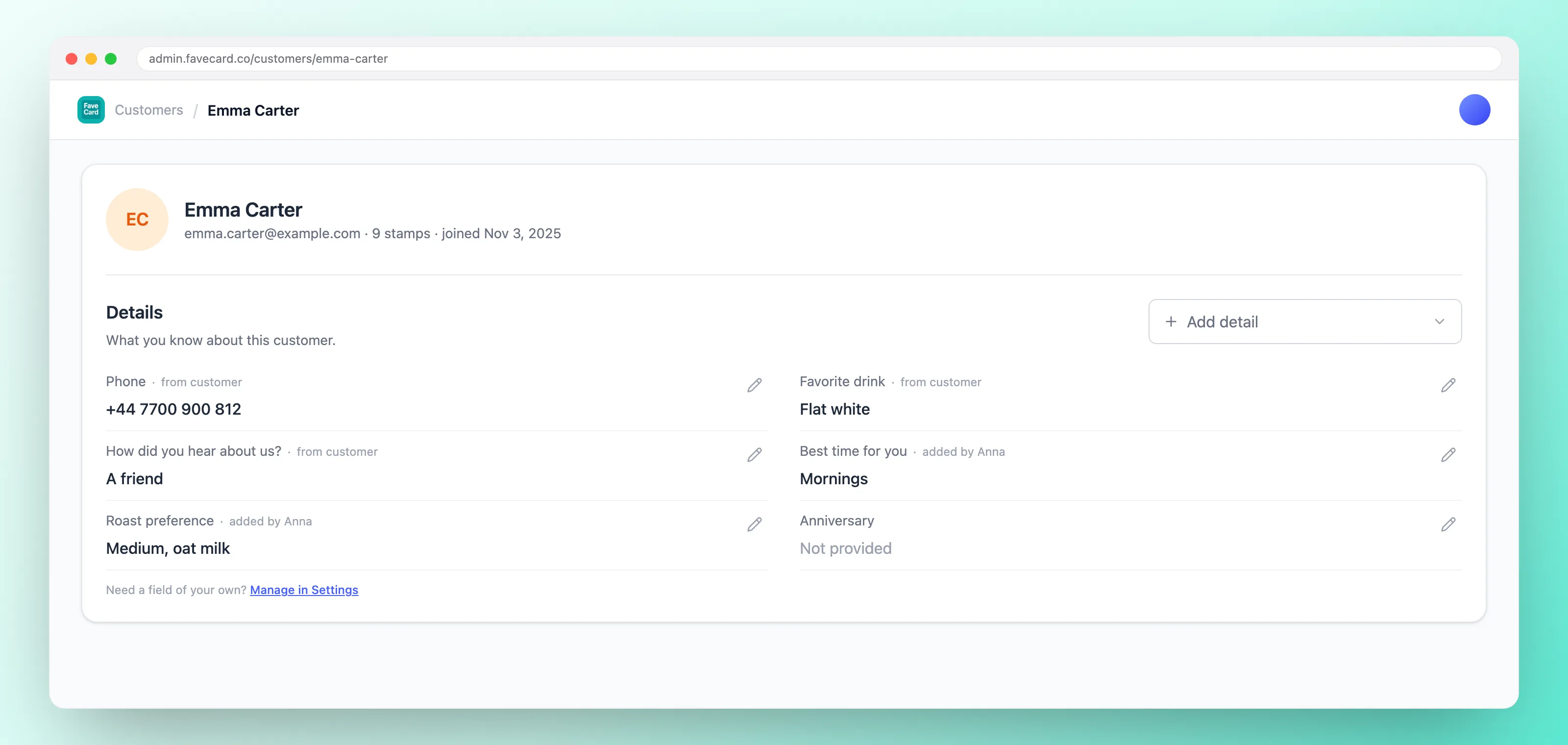
Every answer sits on that customer's profile in your dashboard, labelled with the question it answers and marked with whether the customer gave it or your team added it.
Export the whole list as a CSV whenever you want, with a column for every question you asked. It is your data, and it goes wherever you do.
A representative handful. FaveCard suggests the ones that fit your kind of business.
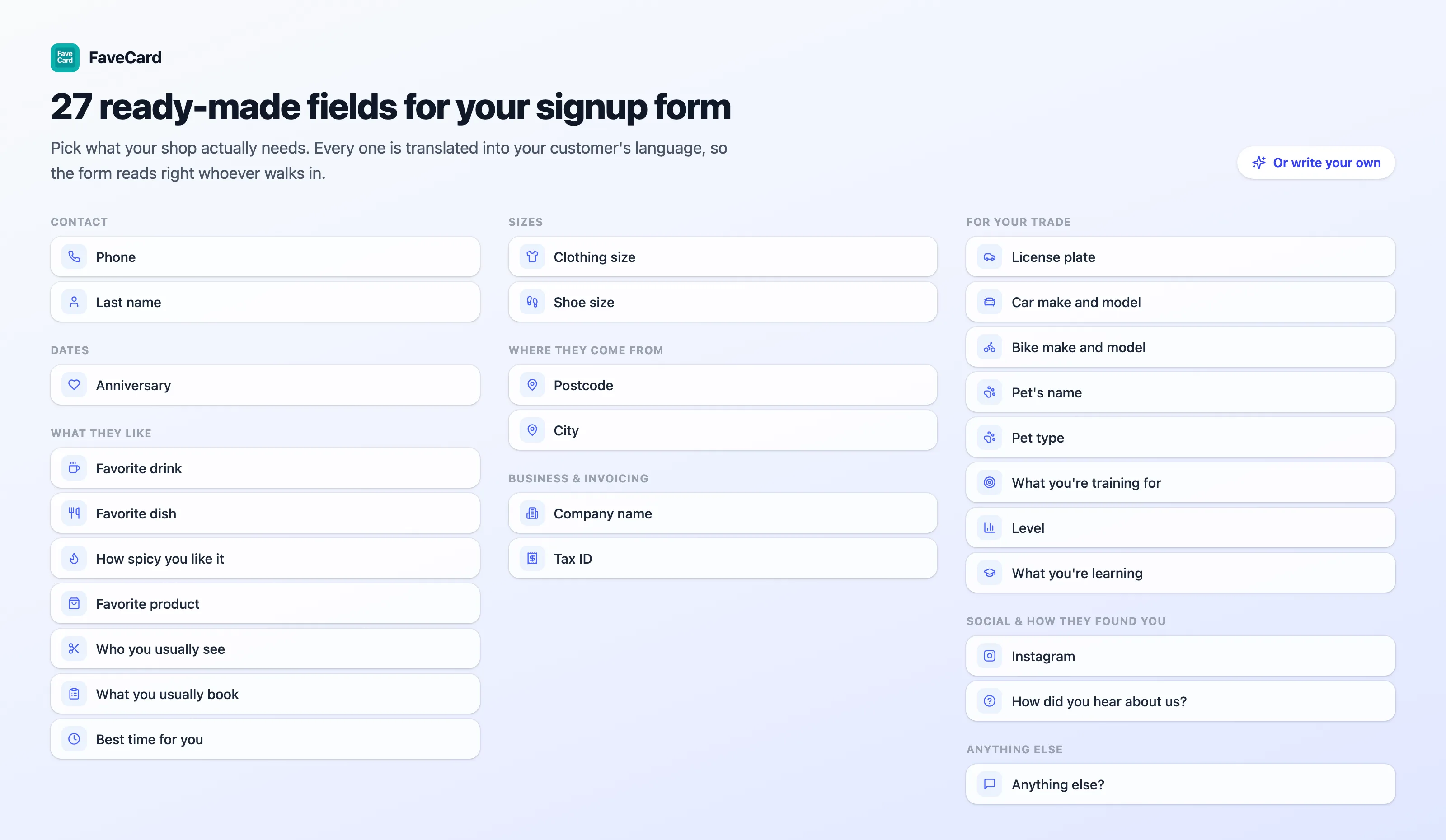
Six trades, and 27 ready-made questions in the list. If none of them fits, write your own: a table number, a membership number, whatever your shop actually needs, up to five of them.
The fewer questions you ask, the more likely a customer is to download your card. That trade runs against asking for more, and it is worth respecting.
Most cards ask for one or two extra questions and stop there. A card in their hand is worth more than a full profile you never use.
A required question blocks the card until it is filled in. If a customer will not share it, you lose the customer, not just the answer.
If the answer will not change how you serve someone, leave it off the form. You can always ask them in person the next time they are in.
Anything a customer would not say out loud at your counter does not belong on a signup form. Keep it to what helps you serve them well.
Ease of signup
Easy
Most customers complete signup.
Getting harder
Some customers may not complete signup.
Difficult
This may reduce card downloads.
FaveCard shows this reading while you build the form, so you see what a question costs before your customers do. It is the one meter in the product that goes down when you add more.
Available on FaveCard Business
Business
Every new account starts with premium tools until the first 30 customers are on the card. No credit card needed.
See full pricing details and compare Free, Pro, Business and Multi side by side.
Everything about the questions on your signup form
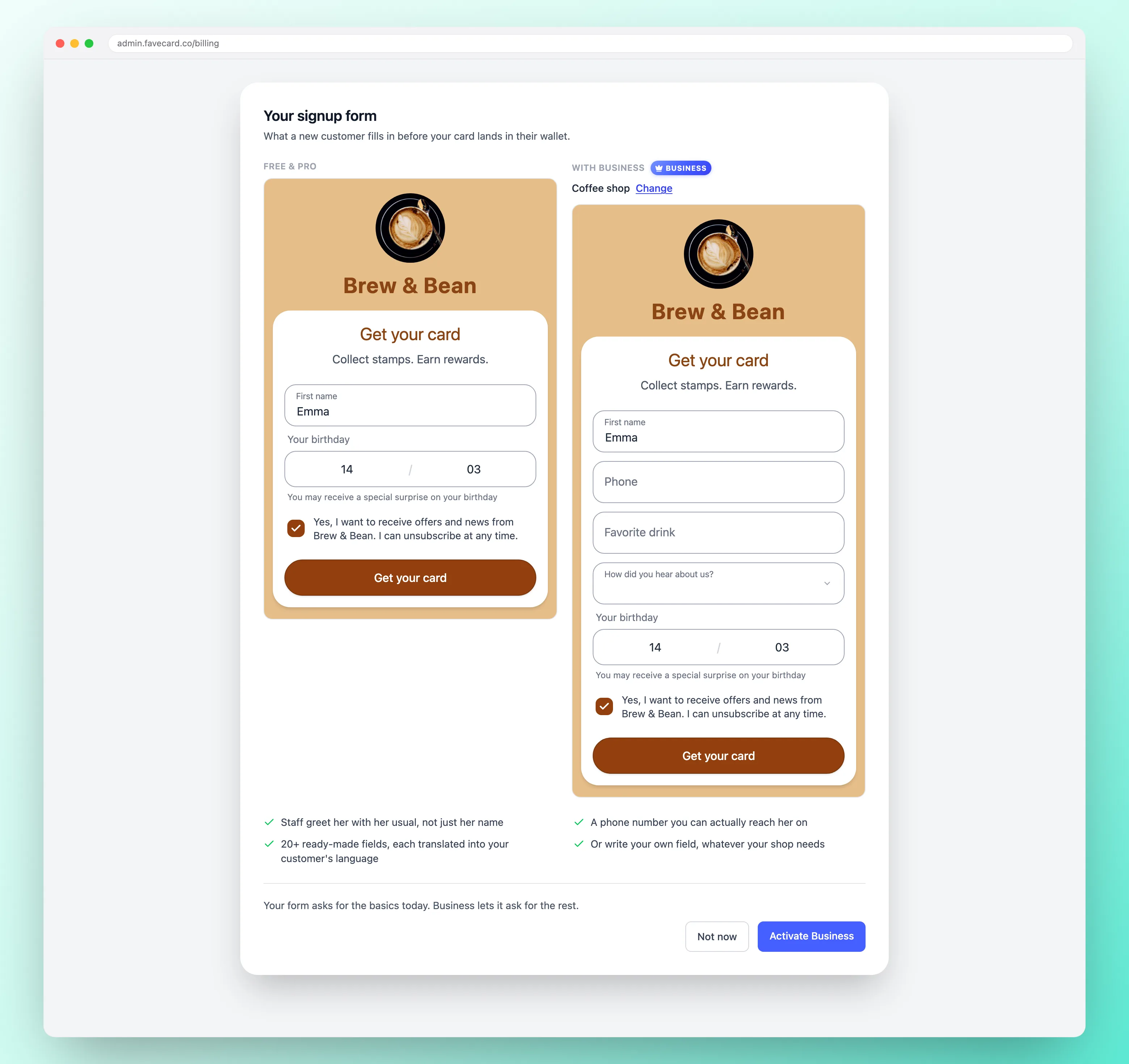
Your card already collects a first name, an email and an optional birthday. On the Business plan you can add up to ten more questions. Pick from 20+ ready-made ones, such as a favourite drink, what someone usually books, or who they usually see, and write up to five questions of your own.
No, unless you mark a question as required. A required field blocks the card until it is filled in, so if a customer will not share it, you lose them. Keeping questions optional is almost always the better trade.
One or two. While you build the form, FaveCard shows an ease-of-signup reading: easy, getting harder, or difficult. Every question you add moves it, and a harder form means fewer people finish and take the card.
Their own. Every ready-made question, and every answer option inside it, ships in 30 languages, so the form matches the customer rather than the shop. A question you write yourself is shown exactly as you typed it and is not translated.
Onto that customer's profile, labelled with the question and marked with where the answer came from. Your team can edit them later, and every question gets its own column in the CSV export. Weighing this against a full CRM? See our guides to salon CRM software, CRM for spas and restaurant CRM.
At the next visit. Scan the customer's card and their first name is at the top of the screen, with the answers they gave on the same screen as the Add stamp button, before anyone adds the stamp.
Your team can read and update the answers customers gave, from their own login, so recognition does not depend on the owner being in that day. Contact details such as a phone number stay with the account owner.
Choosing what your signup form asks is part of the FaveCard Business plan. The Free plan still gives you a working digital loyalty card, and every new account gets premium tools until the first 30 customers are on the card, so you can set your questions up and see the form before you decide.
Ask a question or two when they take your card, and greet them with their usual next time.