




Salon CRM Software: What It Is and Who Needs It
What salon CRM software does, who genuinely needs it, and why most independent salons get more from the loyalty card and two good questions.
Key Takeaway:
Salon CRM software is a marketing system and it pays back only if somebody is running it. What most independent salons want is narrower: for whoever is on the desk to know who a client usually sees, what they usually book and when they can come. FaveCard is a digital loyalty card rather than a CRM. Two optional questions at signup, answered by the client in their own language, tell you those things without adding a system to your week.
Last updated: August 2026
Salon CRM software keeps a record of every client and uses it to market to them: a client profile with contact details and visit history, segments such as lapsed or high spend, email and SMS campaigns aimed at those segments, and reporting on what the campaigns returned. In most salons it arrives bundled inside the booking system rather than bought on its own. It repays an operation with several sites or a marketing person, and it becomes a monthly bill for an untouched client list for everyone else.
Key Takeaway: Work out which job you are buying for. Mailing a list is a CRM job. Making sure the person on the desk knows who a client sees, what they book and when they can come is a recognition job, and it is solved at signup rather than in a campaign builder.
Where FaveCard sits in this, so you can skip ahead if it is not what you came for. FaveCard is a digital loyalty card, not salon CRM software. There are no segments, no campaign builder and no marketing reports in it. What it does is ask a new client a couple of optional questions when they take your card, in their own language, and show the answers to whoever is on the desk at the next visit. If your problem is mailing a list, you want a CRM. If your problem is that the front desk does not know a client always books with Ania, read on.
What salon CRM software actually does
Under the category language there are four jobs. Anything sold as a salon CRM does some combination of them.
| The job | What it looks like on a Tuesday |
|---|---|
| The client record | One row per client: name, email, phone, visit history, spend, and whatever your team has typed into the notes field. |
| Segmentation | Grouping that list by behaviour. Everyone who has not rebooked in twelve weeks. Everyone who only ever books a cut. Everyone who buys retail. |
| Campaigns | Email or SMS to a segment, usually with an offer, usually on a schedule. |
| Reporting | Answering “did that work”. Who opened it, who rebooked, what it earned against what it cost. |
Only the first job is about the client in the chair. The other three are about the list, and that is the part owners underestimate, because the list is the part that needs somebody to work it.
Three routes to owning it, and they behave differently:
- Bundled with your booking system. Client records, notes, rebooking prompts and a marketing module. Most salons already pay for this and have never opened half of it. Start here before you buy anything.
- A general-purpose CRM. Built for salespeople working a pipeline of deals. Very capable, and shaped around a job a salon does not have unless it sells courses, memberships or franchise packages.
- An email marketing platform. Not sold as a CRM, but it holds a list, segments it and sends to it, which covers three of the four jobs above. For a lot of salons this is the honest version of what they were about to buy.
Who salon CRM software is genuinely built for
Five signals. If two or more describe you, it is a reasonable purchase and the rest of this article is not aimed at you.
- More than one site. The moment a client can visit two of your locations and you want one record for them, you need something above the diary.
- A client list in the thousands that you actively campaign to. A list you already mail, not a list you have.
- Retail, courses or memberships to sell. Product ranges and course places are campaign-shaped, and campaigns want segments.
- Somebody with marketing in their job description. Even a day a week. CRM software is a tool, not a service, and an unattended one produces nothing.
- You send offers and cannot tell what they earned. If you are already spending on campaigns and guessing at the return, the reporting alone can pay for itself.
One thing worth noticing before you start comparing vendors. Search this category and you get a page of software companies, and sitting among them, usually near the top, a discussion thread of salon owners asking each other what they should actually use. When the buyers of a category go somewhere else for a straight answer, it is normally because the category is sold harder than it is explained. Read the vendor pages by all means, then come back to the five signals above and work out honestly which of them describes you.
Who does not need it, which is most single-site salons
Here is an owner in r/smallbusiness describing the position, in a thread about keeping track of regular customers:
“Every CRM I’ve looked at is built for big teams and feels like way too much for a shop our size.”
That is not a budget objection, it is a fit objection, and it is correct. The software is built around a marketing operation. What is being described is a memory problem at the front desk.
And in this trade the memory problem is sharper than anywhere else, because a client you see once every six weeks is a client you are trying to recall a conversation with from a month and a half ago. A stylist in r/hairstylist described it exactly:
“So I’m starting to get returning clients - AMAZING! But I can’t for the life of me remember anything about them or what we last spoke about. I have 3 returning clients this week and I’m freaking out because of my terrible memory and also I really want them to feel special.”
The replies all point to tools where the staff member types the note: a customer profile note in the till, a private note in the booking system, a pop-up on the client card. The tools exist. The habit is what fails, and one reply says why in a single sentence:
“The speech to text functionality makes it even easier to add the notes, because typing a bunch out was enough of a barrier to keep me from doing it.”
That is the design flaw, and no amount of CRM software fixes it. The person expected to record what a client likes is the person already doing the client’s hair.
The job you are actually trying to do
It splits in two.
Recognition. A client walks in and the desk already knows they see Marta, they usually book a cut and half-head foils, and mornings suit them. That is what clients notice and what they repeat to friends.
Return. A reason to come back, which is what a loyalty programme is for. There is a fuller treatment of the structures in our guide to salon loyalty programmes, and a version for hair salons specifically.
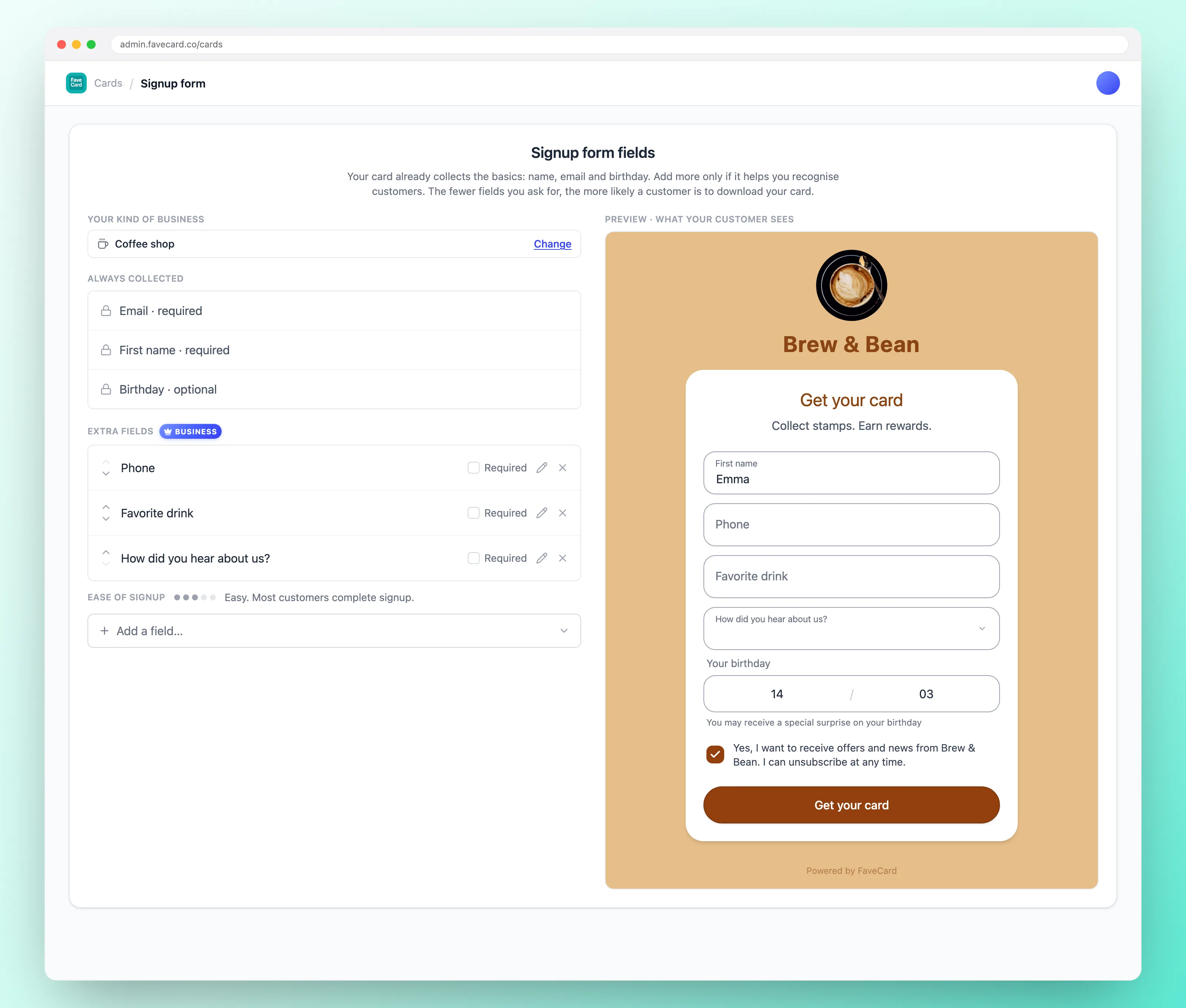
The useful part is that if you run a loyalty card you already own the one moment when a client will happily tell you about themselves. They are standing at your desk with a phone in their hand, filling in a short form, with a reward on the other side of it. Nobody is ever more willing to answer a question than at that exact moment, and nobody on your team has to do anything at all.
What that looks like at the desk
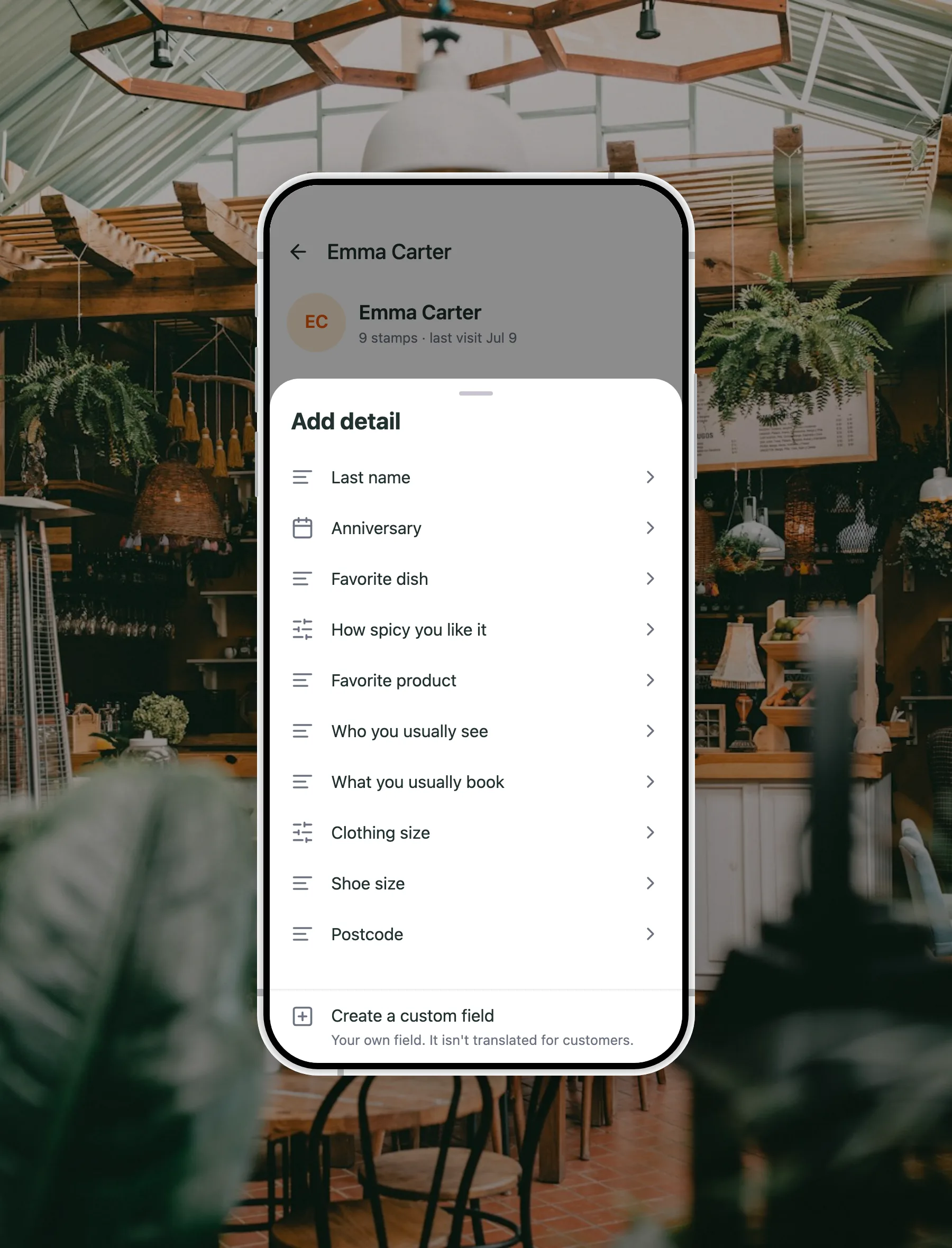
A client scans their loyalty card on the way in. Their first name is at the top of the screen. Further down the same screen, under a heading called Details, are three lines they typed themselves the first time they took the card:
- Who you usually see: Marta
- What you usually book: cut and half-head foils
- Best time for you: mornings
Nobody on the desk has to ask which stylist they are with. The slot is booked at the right length, which means the column does not run over at four o’clock. And when the client rings to rebook, the answer to “same as usual?” is on the screen instead of in somebody’s head.
Now consider what happens when Marta leaves. On the old system, everything Marta knew leaves with her. On this one, the answers were never Marta’s, they were the client’s, and they are still there for whoever takes the column.
The three questions worth asking in a salon
You are asking on a phone, at a desk, with someone waiting, so the rule is two or three questions, never more than five, and every one of them optional. A required question does not get you an answer, it costs you the signup.
| The question | What it changes | Answer type |
|---|---|---|
| Who you usually see | The single most common thing to get wrong on a phone booking, and the easiest to fix. | Typed |
| What you usually book | You know the service before they say it, so the slot is the right length and the price is not a surprise. | Typed |
| Best time for you | You know when they can actually come, so you offer a quiet slot instead of guessing at one. | Fixed choice: mornings, afternoons, evenings, weekends |
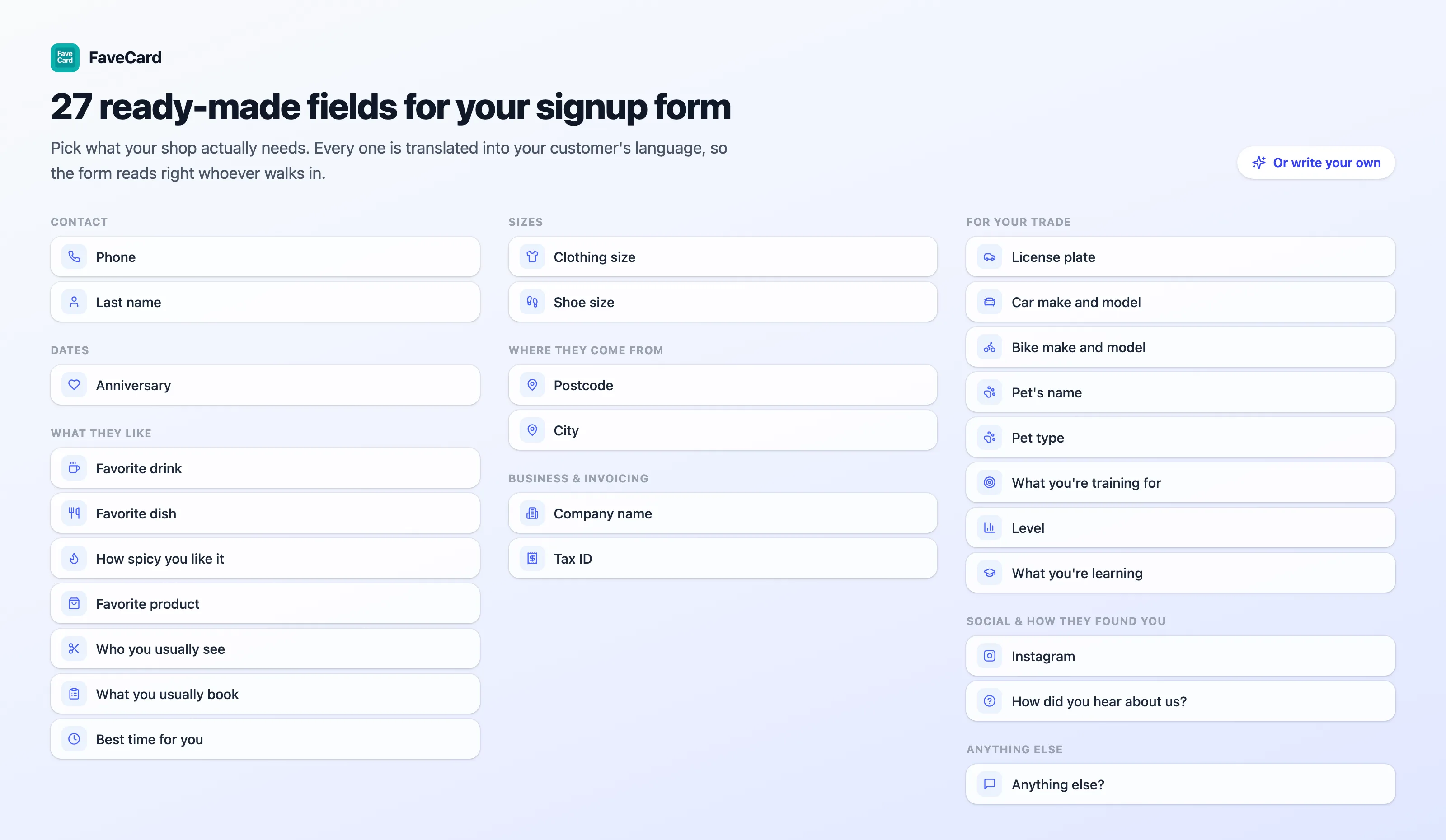
There are more than twenty ready-made questions grouped by trade in our guide to loyalty card signup questions, including the ones that suit nail bars, beauty rooms and barbershops. You should be using two or three.
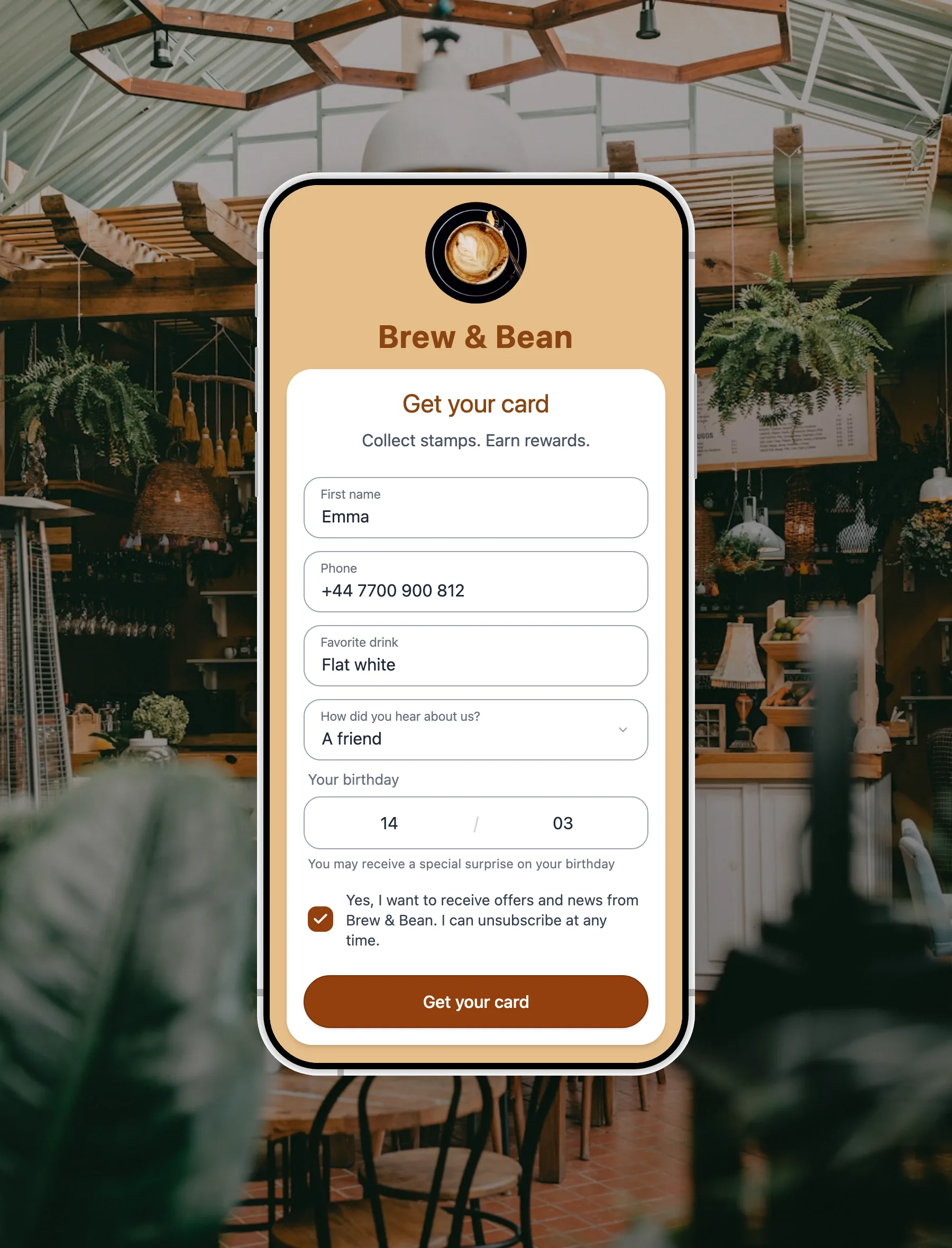
One detail worth more in this trade than the software: every ready-made question, and every answer option inside it, ships translated into 30 languages, and the language is chosen by the client’s own phone rather than by you. A client who does not read your language still understands what you are asking. You can also write up to five questions of your own, for a membership number or a colour formula reference, and a question you write reaches clients exactly as you typed it, in your language.
The line that beauty and clinical work do not share
This is the part most software in this category gets wrong, and it is worth being precise about.
For a hair salon, a nail bar, a beauty room or a day spa, what you usually book is a preference. Balayage. Gel infills. A back massage. There is nothing sensitive about it and a client will tell you happily.
For a medical or aesthetic clinic, a dental practice, a physiotherapy room or a pharmacy, the same question is a different question. A client answering honestly is describing a condition or a treatment, and that is health information: special-category data under Article 9 of the GDPR, which needs its own lawful basis and safeguards, and which a loyalty card signup at a front desk cannot provide.
So FaveCard does not offer that question to those trades. Not as a warning, not as a tick box you can override in your own interest. It is simply not among the questions suggested to a clinic. Those trades are offered who you usually see and best time for you: who and when, never what is wrong. Clinical detail belongs in clinical records, under the process you already have for them.
If you run both, and plenty of salons now have an aesthetics room at the back, apply the stricter rule. The signup form is a front-of-house document.
What this does not do, stated plainly
This is a client record, not a marketing system. So that nobody buys the wrong thing:
It does:
- Show every answer on that client’s profile, labelled, and marked with whether the client or your team supplied it.
- Let any member of your team correct an answer or add one later, without the owner’s login.
- Export to CSV with a column for every question, including questions you have since removed.
- Let you filter your client list on a question you wrote yourself.
It does not:
- Filter or segment on the ready-made questions. They are built for the desk, not for slicing a list.
- Search or sort your client list by an answer.
- Save segments, or drop an answer into a message as a merge tag.
- Trigger anything automatically when somebody answers.
- Produce any chart, report or breakdown of the answers. Even “how did you hear about us?” is read one profile at a time, or counted in the export.
- Offer an API, a webhook or a Zapier connection for the answers.
If your plan depends on segmenting a list and mailing it on a schedule, buy CRM software, and buy it knowing you will need to run it. If it depends on a client walking in and being known, none of the six things above were ever the mechanism.
Where your team sees the answers
Scan a client’s card and their first name is at the top of the screen, on every plan and for every member of staff.
On the Business plan the signup answers sit further down that same screen, under Details. Being straight about the layout, that is below the Add stamp button, so it is a scroll rather than a headline. Worth knowing before you build a front-desk habit around it.
Contact details behave differently on purpose. A phone number or a last name shows on an admin login and is masked for everyone else, so whoever is on the desk sees the usual service but not the phone number. If you want to reach clients between appointments, that is a separate job with separate tools.
Next step: see how FaveCard works for salons: the stamp card, rewards for your clients and how to set it up.
Setting it up before your next full week
- Open your booking system first. If it already has client records and a marketing module you are paying for, use those before you add anything.
- Get the loyalty card running. The card is what brings people back. The questions matter because the card creates the moment to ask them.
- Pick the one answer that changes tomorrow. In most salons that is who they usually see.
- Add a second only if it is genuinely different. Who and what are different. Who and “preferred stylist” are the same question twice.
- Leave every question optional. Always. The card in the client’s phone is worth more than any single answer.
- Show the desk once. The answers are on a screen they already look at, and nobody uses what they have not been shown.
- Check in a month. If nobody looks at an answer, it was not a question you act on. Swap it for one you will.
The extra signup questions and the answers on a client’s record are part of the FaveCard Business plan and are switched on during the free trial. On Free and Pro the form collects a first name, an email address and a birthday. The pricing page sets out what each plan includes, and the customer memory feature page explains the mechanic in full.
When to buy the software after all
When the signals at the top start describing you. A second site. A list in the thousands you actually mail. A retail range. Somebody with time to build a segment and read what it earned. Those are real thresholds and crossing them is a good problem to have.
Until then, the honest answer to “which salon CRM software should I get” is usually that you do not need any of it yet. What you need is for a client to walk in on the fourth visit and be booked with the right person, for the right service, at a time that suits them, without anybody having had to remember. That is a card in a phone and two questions somebody answered in ten seconds while they were already standing at your desk. If you want the wider picture on rebooking and retention, start with how to get repeat customers. To see which marketing features your booking app already includes, and what each one costs, read our guide to salon marketing software.
Frequently Asked Questions
What is salon CRM software?
Salon CRM software keeps a record of each client and uses it to market to them. It does four jobs: it holds a client record with contact details and visit history, it groups clients into segments such as lapsed or high spend, it sends email and SMS campaigns to those segments, and it reports on the results. In most salons it arrives bundled inside the booking system rather than bought separately.
Do I need CRM software for my salon?
Only if you have someone to run it. CRM software earns its place when you have several sites, a large client list you actively campaign to, retail or course sales to push, or a person whose job includes marketing. A single-site salon with a full column and nobody spare usually has a narrower problem: making sure whoever is on the desk knows who a client normally sees and what they normally book.
What is the difference between salon CRM software and a booking system?
A booking system is built around the diary: slots, staff, deposits and reminders. CRM software is built around the list: segments, campaigns and reporting. They overlap because most booking systems now include client records and marketing tools, which is why many salons already own CRM features they have never switched on. Check what your diary already does before you buy anything new.
How do hairdressers remember what a client likes between visits?
The usual advice is to write notes after every appointment, and stylists say openly that typing them is the thing that stops it happening. The alternative is to let the client answer once. When they take your loyalty card, the signup form can carry two or three optional questions such as who they usually see and what they usually book. The answers stay with the card, so the next person on the desk sees them without anyone keeping a habit going.
Can a loyalty card replace salon CRM software?
For recognition and repeat visits, often yes. For campaign marketing, no. Answers a client gives at signup sit on their profile and in a CSV export, and they do not drive segments, automated messages or reports. If your plan depends on slicing a list and mailing it, you want CRM software. If it depends on a client walking in and being known, you want the card.
Is it appropriate for a clinic to ask clients what they usually book?
No, and this is a line worth drawing carefully. In a hair salon or a beauty salon the treatment is a preference. In a medical or aesthetic clinic, a dental practice, a physiotherapy room or a pharmacy, an honest answer to that question describes a diagnosis, which is special-category data under Article 9 of the GDPR. FaveCard does not suggest that question to those trades at all. They are offered who the client usually sees and the best time of day instead.
Which FaveCard plan includes the extra signup questions?
The extra signup questions, and the answers on a client's record, are part of the FaveCard Business plan and are included in the free trial. On Free and Pro the form asks for a first name, an email address and a birthday. See the pricing page for what each plan covers.