




Apple Wallet Loyalty Cards for Business: How They Work
How Apple and Google Wallet loyalty cards work for a small business: how customers add one, how stamps update, and when a lock-screen alert shows.
Key Takeaway:
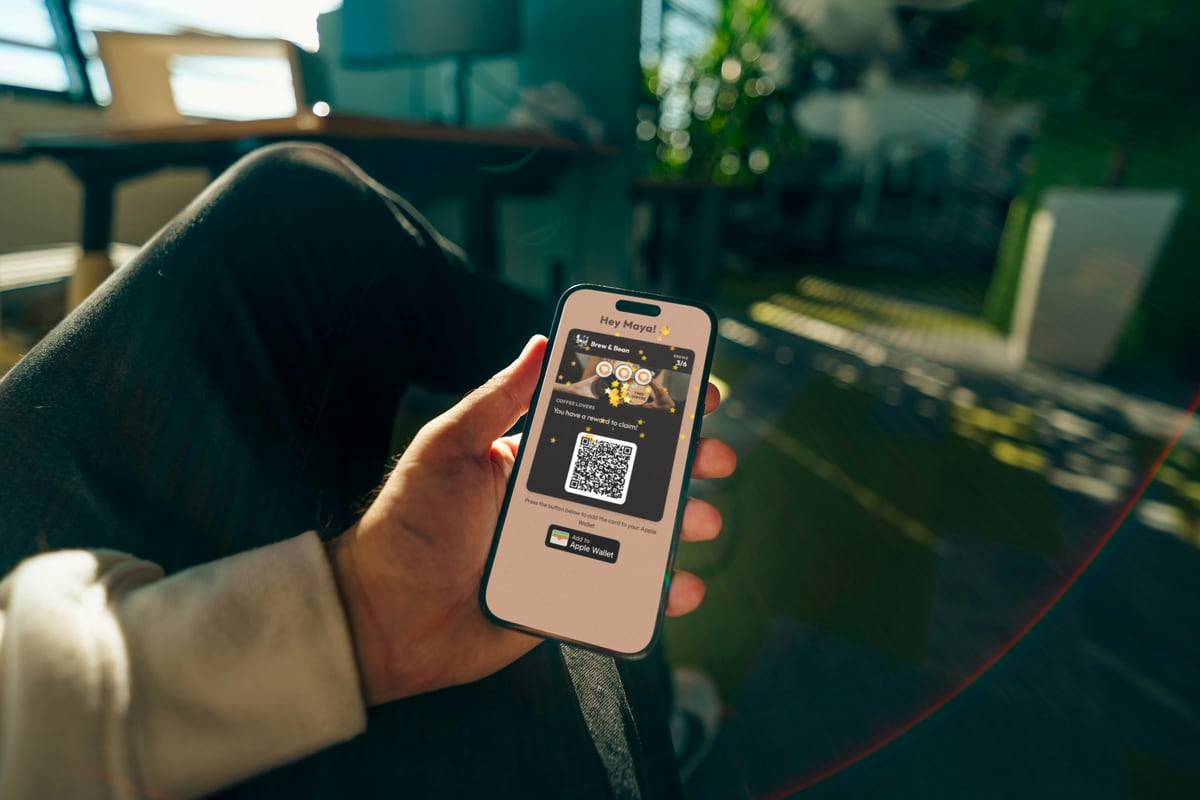
An Apple Wallet loyalty card is a pass the business issues and keeps updating. Customers add it free from a link or QR code, with no app to download. Each stamp updates the saved card silently; the lock screen only lights up when the business attaches a message. On FaveCard that means a campaign or, in Apple Wallet, an automatic message such as the birthday greeting; in Google Wallet only campaigns alert, at most 3 per card in 24 hours. On FaveCard, design edits reach saved cards at their next update, while the stamp count and rewards stay fixed once customers have the card.
Last updated: October 2026
An Apple Wallet loyalty card is a pass your business issues and keeps updating. Customers save it free from a link or a QR code, with no app to download, and every stamp you add shows up on the card in their Wallet on its own. Google Wallet does the same on Android. Most guides stop once the card is on the phone. The questions owners actually run into come later: when does the customer’s phone buzz, and what can you still change once the card is saved?
This guide answers those questions from the business side, with the rules Apple and Google publish and the way FaveCard, our own product, applies them.
At a glance:
| Question | Apple Wallet | Google Wallet |
|---|---|---|
| Does the customer pay or download anything? | No, Wallet is built into iPhone | No, Google Wallet is free on Android |
| How is the card added? | ”Add to Apple Wallet” on a web page, email or message | ”Add to Google Wallet” button or link |
| Does a new stamp show up by itself? | Yes, silently on FaveCard | Yes, silently on FaveCard |
| When does the lock screen show a message? | When the business attaches one (on FaveCard: a campaign) | Same, at most 3 per card per 24 hours |
| Can you edit a saved card? | Yes, anything except its serial number and token | Yes, through Google’s API |
What is an Apple Wallet loyalty card?
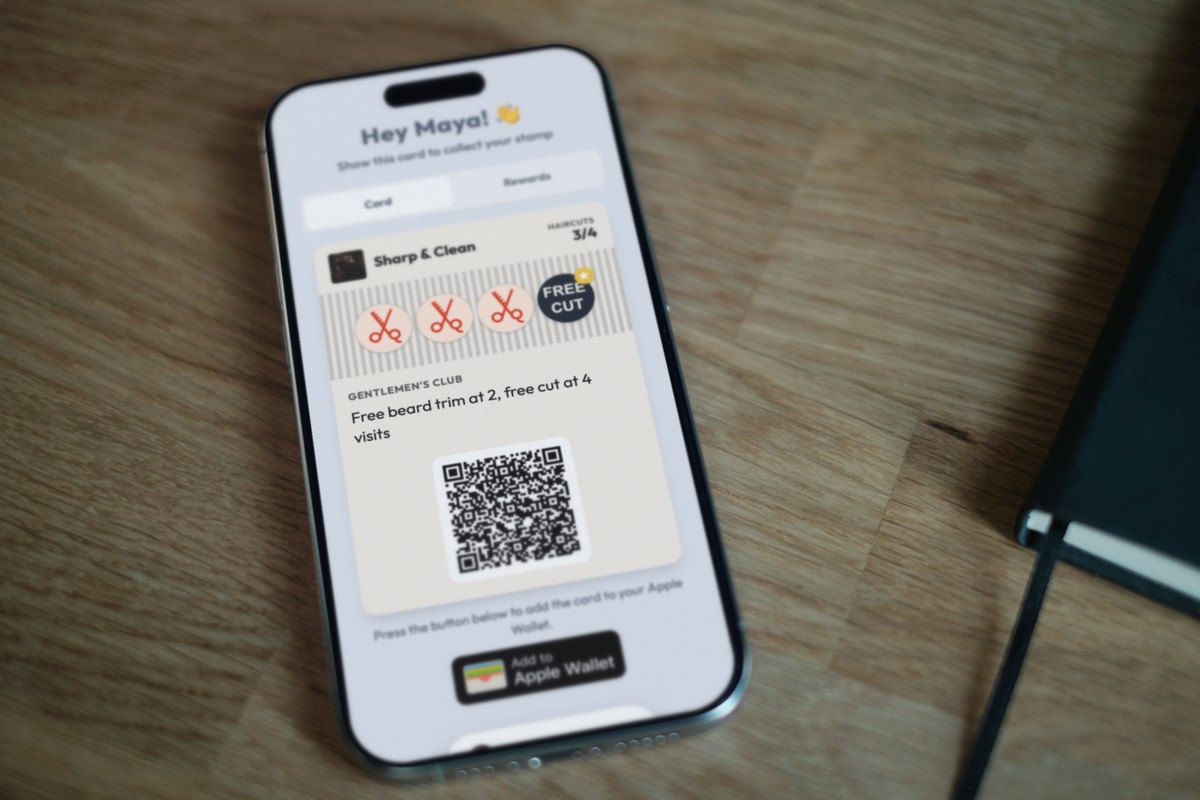
It’s a digital loyalty card (a stamp or points card) saved in the Wallet app, next to boarding passes and payment cards. Apple calls these files passes. A loyalty card is a “store card” pass: it shows your logo, the customer’s progress and a QR code that staff scan at the counter.
Since iOS 27, a customer can also scan your paper card into Wallet with Apple’s Create a Pass, but that copy never gets your updates. A card you issue, you can update. New stamps and rewards reach it on the customer’s phone without them doing anything. It also stays theirs: FaveCard hides Apple’s Share button on the card, so a regular can’t forward their stamps to a friend with one tap.
Apple’s own Wallet page says customers can “add loyalty rewards cards from your favorite coffee shop, drugstore, or retail store to Wallet” (Apple). You don’t need to be a chain to issue one.
Is Apple Wallet free?
For your customers, yes. Wallet is built into every iPhone (“The Wallet app lives right on your iPhone”, as Apple puts it), so there’s nothing to buy and nothing to download.
For the business, issuing the cards is what costs money, time or both. Each pass has to be signed with an Apple certificate, and to update saved cards you need a server that iPhones talk to (see making one yourself below). Most small businesses use a loyalty platform instead.
On FaveCard, the Free plan gives every customer a loyalty card that opens in the phone’s browser, which still needs no app. Apple and Google Wallet cards come with the Pro plan, and every new account has them during the free trial, which runs for the first 30 days. Lock-screen campaigns are a separate step up: they’re on the Business plan (and in the trial). Current plans are on the pricing page.
How do customers add a loyalty card to Apple Wallet?
Apple’s instruction is one line: “Look for “Add to Apple Wallet” in an app, email, message, or web page” (Apple Support). For a café or a salon, the web page is the usual route. With FaveCard it goes like this:
- The customer scans your QR code at the counter, or taps a link you’ve shared on Instagram, WhatsApp or your website.
- They type their first name and email. Birthday is optional unless you make it required.
- Their card page opens with an Add to Apple Wallet button. They tap it, check the preview and tap Add.
- At the next visit, staff scan the QR code on the card with the FaveCard app on a phone, or the customer collects the stamp on a tablet at your counter.
Two things to know:
- FaveCard shows the button on phones and tablets only. An iPhone or iPad gets Add to Apple Wallet and an Android phone gets Add to Google Wallet. On a computer, a Mac included, we show neither, so a customer who opened the link on a laptop needs to open it on their phone to save the card.
- In Australia it’s often called a rewards card. Same card, same steps.
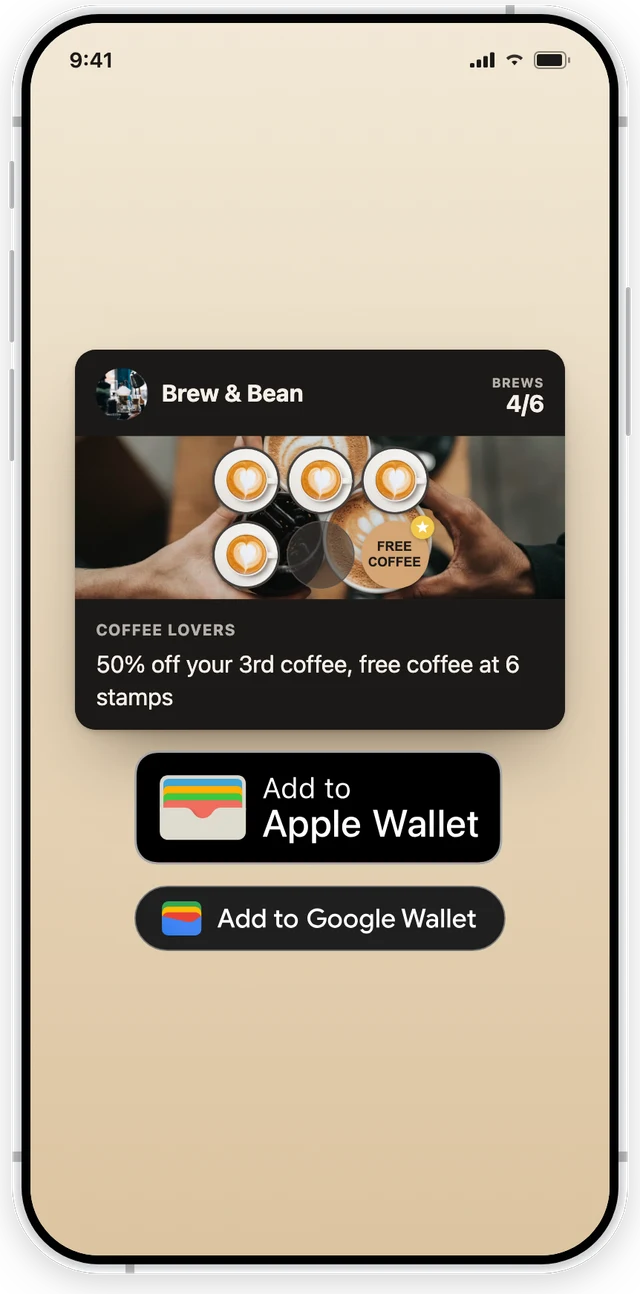
The FaveCard card page. This capture shows both buttons; a real phone shows only its own, Apple on iPhone and Google on Android.
And on Android?
Android phones use Google Wallet, and it works the same way. Google notes that passes can be issued “anywhere hyperlinks are supported, such as websites, email, and SMS messages” (Google for Developers). On the same card page, an Android customer sees Add to Google Wallet, taps it, and the card saves to Google Wallet.
You don’t choose between the two. One QR code at your counter covers both, because the page checks which phone opened it.
What happens to the card after each visit?
The new stamp appears on the saved card automatically. On FaveCard it arrives silently. No buzz, no banner. The customer sees it the next time they open Wallet.
Here’s why. When a customer saves an Apple pass, their iPhone signs up for updates from the business’s server. Each time the card changes, the server sends Apple a quiet signal and the iPhone downloads the new version (Apple Developer). The customer never sees that signal. Google works differently under the hood, since the business’s server edits the saved card through Google’s API, but the customer sees the same result.
On FaveCard, four things send an update to a saved card:
- A stamp or a redeemed reward. Silent.
- The start and the end of a campaign. The start can show a message on the lock screen. At the end, the campaign line just disappears from the card, silently.
- An automatic message, such as the birthday greeting (Business plan and the trial). In Apple Wallet it can show on the lock screen; in Google Wallet the card changes silently. The birthday offer disappears when it expires, or when the customer visits or redeems a reward.
- A plan change, for example your logo appearing after you upgrade. Silent.
If a customer deletes the card from Wallet (on iPhone: “Tap Remove Pass”), their stamps aren’t lost. FaveCard keeps them, and the card page shows a link to add the card again.
Can you change the card after customers saved it?
Yes, but not always straight away, and not everything. In 2024 a Square seller asked whether a new design reaches cards customers already saved: “does the design update in their wallet?” The moderator’s answer was that design changes “won’t automatically update” until something else on the card changes, like the points balance (Square Community).
Apple itself sets no such limit: “You can update any type of pass and any information in the pass, except for the authentication token and the serial number” (Apple Developer). When edits land, and which fields can change at all, is the platform’s choice. FaveCard works much like Square here:
- Card name, banner image, stamp messages: editable. Each saved card picks up the edit the next time it updates, usually at that customer’s next stamp. We don’t resend every card the moment you save an edit, so a weekly regular sees the new banner within a week, and a customer who hasn’t been in for months keeps the old look until they come back.
- Your logo: comes from your business profile and also appears at each card’s next update.
- Number of stamps and the rewards: FaveCard locks these once customers have the card, though Apple itself would allow a change. To change them, create a new card and retire the old one. Customers who already have stamps keep their progress on the card they hold. So choose the count carefully up front; our guide on how many stamps a loyalty card should have gives a simple rule.
Can you send notifications through Apple Wallet?
Yes. When a saved card changes, iPhone can show a short message on the lock screen, but only if the business attaches one to that change and the customer allows notifications for the card. Apple’s pass format has a field for this alert text, and without a value in it the iPhone shows no notification (Apple Developer). No message attached, no alert.
Google works the same way but adds a cap: at most 3 messages per card that trigger a notification in any 24 hours (Google for Developers). Google also controls how the alert looks on an Android lock screen.
On FaveCard, what you send to the lock screen is a campaign. A campaign is a short offer you send to all your customers, to the ones who haven’t visited for a while, or to people you pick:
- You write two texts: the notification that pops up on the lock screen (up to 80 characters) and a shorter line on the card itself (up to 60), which stays while the campaign runs.
- It runs for anything from 1 hour to 30 days, one campaign at a time.
- For each customer, it disappears from the card when the offer expires, when they visit, or when they redeem a reward.
- On Android, if a card has already had 3 alerts in 24 hours, it still updates but without a fourth alert.
- Campaigns are on the Business plan and in the trial; Pro includes Wallet cards but not campaigns.
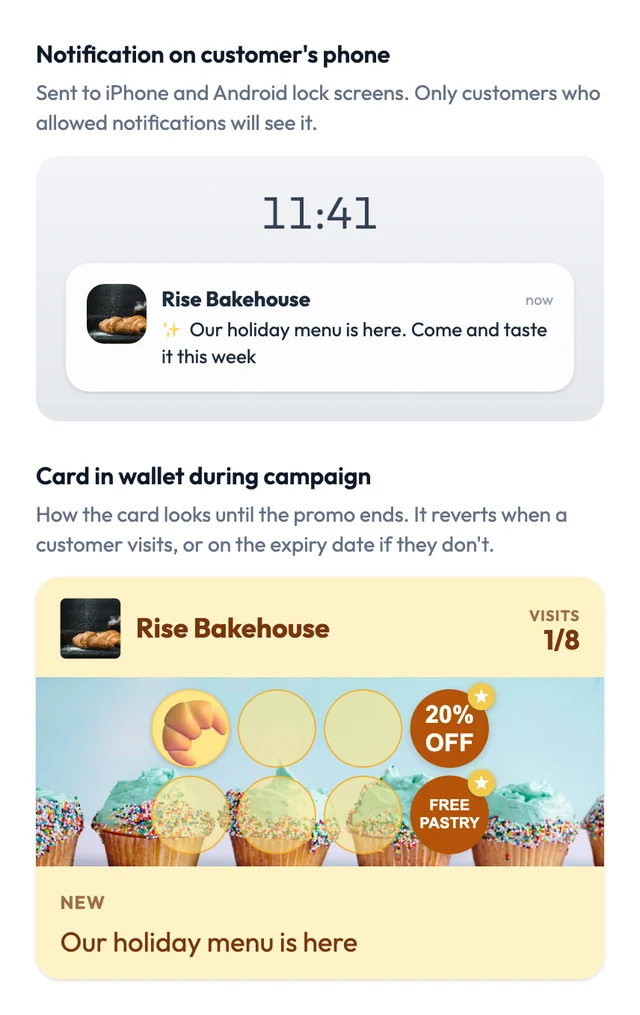
The preview in FaveCard’s campaign editor, as the owner sees it before sending. It’s the dashboard’s own preview, not a screenshot from a customer’s phone.
Stamps and rewards don’t buzz the phone, and neither do FaveCard’s feedback prompts, such as the halfway nudge and “one stamp to go”: those go out by email or as a banner on the customer’s card page. The birthday greeting is different in Apple Wallet: if you switch on birthday automation, it arrives as a notification, just like a campaign. In Google Wallet it updates the card silently. If you’ve read that Wallet cards send “You’re 2 stamps away” to the lock screen, that depends on the platform, and ours doesn’t. For what to send and how often, see how to reach customers between visits.
Does the card pop up when customers walk past the shop?
Sometimes, and Apple or Google decides when. A pass can list up to 10 locations. Apple uses them to, in its example, “show a gym membership card at the gym”, as a suggestion on the lock screen (Apple Developer). Google sends a “nearby” notification only to people who gave Google Wallet precise, always-on location access, and “Google decides how close a user needs to be and how long they need to stay in the area” (Google for Developers).
Don’t pick a platform for this. Neither company promises the card will appear, and customers can switch it off.
Apple Wallet vs Google Wallet: what’s different?
For your customers they feel the same: tap a button, the card saves, stamps appear. The differences are in the rules each company sets.
| Apple Wallet | Google Wallet | |
|---|---|---|
| Phones | iPhone (many passes also show on Apple Watch) | Android |
| Alerts from the business | When a card update carries a message | Same, but max 3 per card per 24 hours |
| Who controls the lock-screen alert | The business writes the text | Google Wallet |
| Location suggestions | Up to 10 locations; Apple decides when | Up to 10; needs always-on location; Google decides |
| Latest redesign | iOS 27: tappable Featured Actions, optional poster layout | Passes now fill the whole screen |
What changed with iOS 27?
Apple released iOS 27 on September 14, 2026. Existing loyalty cards keep working, and customers don’t need to add them again. Two things are new for loyalty cards: an optional full-screen “poster” layout and Featured Actions, tappable tiles that open a web page.
Every FaveCard Apple card carries one fixed Featured Action, “View your card”, which opens that customer’s card page. On older iPhones the same link sits on the back of the card. There’s nothing to set up, and it can’t be changed. The full rundown is in iOS 27 Apple Wallet loyalty cards: what changed.
Is Apple Wallet the same as Apple Pay?
No. Apple Pay is a way to pay. Apple Wallet is the app that holds everything: payment cards, boarding passes, tickets and loyalty cards. A loyalty card lives in Wallet and doesn’t need Apple Pay, so a customer can pay cash and still get a stamp.
So if someone mentions an “Apple Pay loyalty program”, they almost always mean a loyalty card in Apple Wallet. On Android the equivalent app is Google Wallet.
Can I make an Apple Wallet loyalty card myself?
You can, if you’re comfortable with some development work. Doing it yourself means:
- an Apple developer account, a pass type ID and a signing certificate, so iPhones trust your pass;
- a web service that follows Apple’s update protocol, so stamps reach saved cards;
- a Google Wallet issuer account and Google’s API, if you want Android customers too;
- a way for staff to scan cards and record stamps.
That’s a real software project, and it has to keep running for as long as customers hold the cards. For a café or a salon, a platform is the practical route: you design the card and print a QR code, and the platform handles signing, updates and both wallets. Our comparison of free digital loyalty card apps covers the options, FaveCard included.
When a loyalty app still makes sense
When restaurant owners on Reddit discussed why customers ignore loyalty programs, “another app” came up again and again, and several said Wallet cards got better take-up. We hear the same from our own customers. That’s experience, not a measured study.
A Wallet card asks less of a customer: one tap instead of an app store visit and a new password. A dedicated app still wins in a few cases:
- Ordering and payment in one place, like a chain with order-ahead.
- Points tied to what people spend, which usually lives in your till system.
- Content that doesn’t fit on a card, such as menus, bookings or account history.
For a single café, barber, bakery or nail studio, a stamp card in Wallet does the job. If you’d rather skip Wallet entirely, a loyalty card without an app can also run in the browser alone.
Setting it up in FaveCard
- Create your card: name, stamp count, rewards and banner. Get the stamp count and rewards right first; neither can change once customers join.
- Print the QR code for your counter, or share the link. Customers join in a few seconds and, on Pro or during the trial, add the card to Apple or Google Wallet.
- Stamp at each visit by scanning the card with the FaveCard app, or let customers collect stamps themselves at a counter tablet (Business plan). The iPad kiosk guide shows how to set one up.
- Send a campaign when you have something worth saying, like a new menu or a quiet-Tuesday offer. Keep the notification under 80 characters.
Plans and what each includes are on the pricing page. For how the card itself looks, see the loyalty cards feature page.
“Our customers gladly add the new card to their phone and always have it with them.” Paulina Kubisztal, owner of Kawozwierz café, Kraków
FaveCard is our product. Apple and Google rules are quoted from their own documentation as of September 29, 2026. FaveCard behaviour is described as of October 8, 2026.
Frequently Asked Questions
Is Apple Wallet free?
Yes, for your customers. Wallet comes built into every iPhone, so there is nothing to buy or download, and saving a loyalty card costs them nothing. For the business, issuing Wallet cards takes either your own Apple developer setup and a server, or a loyalty platform that does it for you. On FaveCard, the Free plan gives customers a card that opens in the browser; Apple and Google Wallet cards come with Pro, and every new account gets them during the trial.
How do I add a loyalty card to Apple Wallet?
Scan the shop's QR code or tap its link, fill in the short join form, then tap Add to Apple Wallet on the card page and confirm with Add. Apple's own instruction is to look for "Add to Apple Wallet" in an app, email, message or web page. On FaveCard the button appears on iPhone and iPad only; on a computer the customer sees the card page without it.
Does a loyalty card in Apple Wallet update by itself?
Yes. When staff add a stamp, the business's server tells Apple the card changed and the iPhone downloads the new version, usually within seconds. On FaveCard that update is silent: no alert, the stamp just appears. Google Wallet cards update the same way.
Can I send push notifications through Apple Wallet?
Yes, as a message attached to a card update, which iPhone shows on the lock screen if the customer allows notifications for that card. On FaveCard campaigns do this, with up to 80 characters of text, and so do automatic messages such as the birthday greeting; both are on the Business plan and in the trial, not on Pro. In Google Wallet only campaigns alert, at most 3 per card in 24 hours; automatic messages update the card silently. Stamps and rewards don't alert through Wallet.
Can I change a loyalty card after customers saved it to Apple Wallet?
Apple lets a business update anything on a pass except its serial number and authentication token. On FaveCard, the card name, banner and stamp messages can be edited, and each saved card picks up the edit the next time it updates, usually at that customer's next stamp. The number of stamps and the rewards are fixed once customers have the card; to change them you create a new card, and existing customers keep their progress on the old one.
Does it work on Android?
Yes. Android phones use Google Wallet, and the same card page shows an Add to Google Wallet button there. The card collects stamps and receives campaign messages the same way, with one difference: Google caps notifying messages at 3 per card in 24 hours.
Is Apple Wallet the same as Apple Pay?
No. Apple Pay is how you pay; Apple Wallet is the app that holds payment cards, boarding passes, tickets and loyalty cards. A loyalty card lives in Wallet and works whether or not the customer uses Apple Pay at your till.